Strava vs Komoot vs Ride with GPS: Elevation Gain Accuracy
Strava vs Komoot vs Ride with GPS: Elevation Gain Accuracy
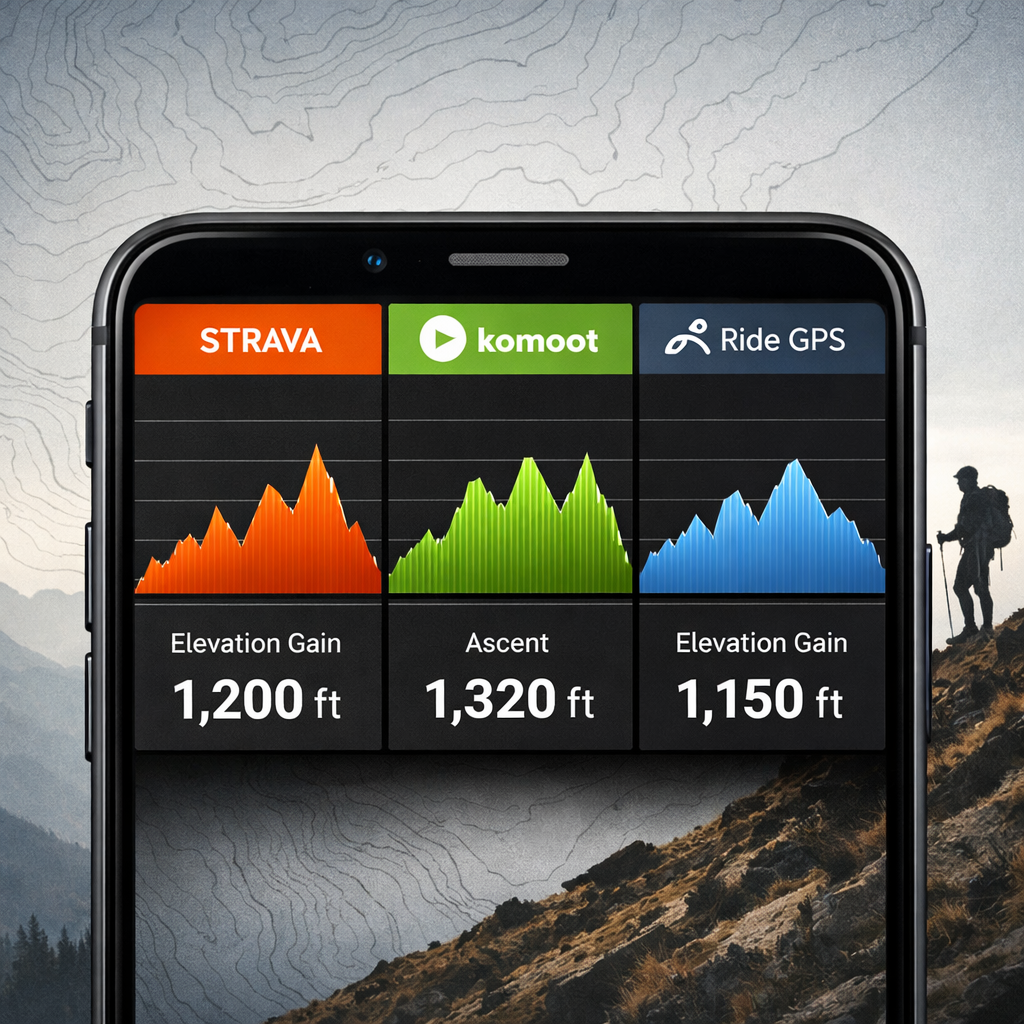
Choosing a cycling route planner for accurate elevation gain isn’t just about pretty profiles—it’s about pacing climbs safely, judging route difficulty, and managing energy on mixed terrain. Strava, Komoot, and Ride with GPS all show elevation gain, but they often disagree because they use different elevation models, sampling, and corrections. The bottom line: you’ll get the most consistent numbers when you record with a barometric‑altimeter device and keep your planning/export workflow consistent within one platform. For planning control and long-route handling, Ride with GPS tends to be the most predictable; for exploration with surface-aware routing, Komoot shines; for post-ride analysis and performance metrics, Strava is the default for many riders.
Who should use this guide
This guide is for cyclists planning day rides, gravel adventures, and bikepacking routes who compare elevation gain across apps and want consistent numbers for training, pacing, and safety. If you care about elevation gain accuracy in your cycling route planner and want to understand GPX elevation, barometric altimeter vs GPS elevation, and how platforms compute ascent, you’re in the right place. Our perspective at Hiking Manual prioritizes safer pacing on climbs, realistic route difficulty assessment, and steady energy management across rolling or technical terrain.
How elevation gain is calculated
Elevation gain is the total amount of vertical ascent accumulated over a route or ride. Apps compute it by summing all positive changes in elevation along the track. Planned routes use map-based elevation models, while recorded rides rely on your device’s sensors and later corrections.
Two common pipelines:
- Planned route: map elevation model → elevation sampling → smoothing → sum ascent.
- Recorded ride: device altimeter/GPS → platform corrections → smoothing → sum ascent.
Key terms:
- DEM (digital elevation model): a gridded terrain dataset used to assign elevation to map locations.
- Resampling: re-spacing or interpolating a track to uniform intervals, which can change how micro‑ups/downs are counted.
- Smoothing: filtering that reduces short-term noise so tiny oscillations don’t inflate ascent.
What drives differences in elevation gain
- Mapping and sampling choices differ. Each platform taps different map stacks and elevation sources, then samples the route at different intervals—small changes here can yield different ascent totals for the same GPX file. Overviews of routing stacks and planner behaviors highlight these platform‑level differences (see the app roundup from Condor Cycles’ navigation guide: best ride navigation apps overview).
- Device sensors vary. Barometric altimeters generally produce steadier short-distance elevation traces than GPS‑only, making ascent totals less noisy. Review roundups also note that GPS signal glitches and phone-only recording can skew elevation metrics on some rides (see discussion in Garage Gym Reviews’ cycling apps roundup).
- Platform processing changes totals. When a service resamples or simplifies a GPX—especially on long tracks—elevation profiles and totals can shift. For example, Ride with GPS can simplify long GPX tracks under 10,000 points, which may alter computed gain.
Barometric altimeter: a sensor that estimates elevation from air pressure, typically more stable than GPS altitude over short distances.
Evaluation criteria for accuracy
- Consistency: reports similar gain for identical GPX/FIT files across imports and attempts.
- Sensor handling: honors barometric-altimeter data when present; applies sensible elevation corrections to noisy GPS traces.
- Elevation model quality: realistic gradients without over-smoothing that erases rolling terrain.
- Transparency/tools: clear elevation profiles, optional smoothing controls, and robust export/import options that minimize unintended changes.
These criteria reflect Hiking Manual’s focus on dependable ascent data for safer pacing and realistic difficulty.
Try a simple test:
- Record a ride with a barometric‑altimeter device (FIT file).
- Import that same file to each platform.
- Compare totals in a small table:
| Platform | Reported gain (m) | Notes |
|---|---|---|
| Strava | 1,240 | Elevation correction on/off can change result |
| Komoot | 1,210 | Honors device data via integrations |
| Ride with GPS | 1,235 | Check simplify settings on import/export |
Strava
Strava prioritizes performance analytics—segments, power/HR insights, and post‑ride training load—and uses an OpenStreetMap/Mapbox‑style mapping stack that influences how planned-route elevation is sampled. Both Strava and Komoot can record via phone GPS, but riders see more reliable ascent when recording with a barometric device and uploading the FIT file. Strava also offers practical safety touches such as Beacon (on phones), while its route planner provides quick elevation previews. These traits and trade‑offs are summarized in BikeRadar’s Strava vs Komoot comparison. For accuracy, the key is to honor barometric data when available and avoid unnecessary resampling between planners. From a Hiking Manual standpoint, keep a single, consistent workflow to prevent drift in ascent totals.
Komoot
Komoot is planning‑first, with strong exploration features: surface awareness (asphalt, gravel, trail), filters by technical difficulty, and crowd‑sourced Highlights that help you choose better lines across mixed terrain. During planning it shows distance, elevation, and a clear elevation profile; routes sync to Garmin/Wahoo for on‑device navigation. Access follows a region‑based model (single regions, bundles, or Worldwide), with Premium around $5.99/month and a particularly strong user base in Europe—trade‑offs discussed in The Nxrth’s Ride with GPS vs Komoot guide. For elevation previews on gravel and off‑road, Komoot’s profiles and surface cues help set realistic pacing expectations. In our experience at Hiking Manual, that surface context supports safer pacing choices on unknown terrain.
Ride with GPS
Ride with GPS is favored for precise route editing and consistent export/import controls across GPX, FIT, and TCX—useful for keeping a clean, repeatable processing pipeline. It can simplify very long GPX tracks (often under 10,000 points), which may change elevation totals; note your simplify settings before export to preserve ascent. Pricing is straightforward: free recording/sync, Basic ($7.99/month) for advanced mobile planning, and Premium ($9.99/month) for full web route tools—details covered in Cycling Weekly’s best cycling apps guide. If you care deeply about GPX elevation consistency over multi‑day routes, RWGPS’s editing and cue sheets make it a strong choice. At Hiking Manual, we value explicit simplify controls when preserving ascent on complex, multi‑day tracks.
Side‑by‑side comparison
| Feature | Strava | Komoot | Ride with GPS |
|---|---|---|---|
| Elevation profile in planner | Yes; quick preview in Route Builder | Yes; distance, elevation, time shown during planning | Yes; detailed profile with robust editing tools |
| Handling of barometric data | Honors device barometer; elevation correction available | Honors device barometer via Garmin/Wahoo sync; planner uses DEM | Honors device barometer; planner uses DEM with clear controls |
| Track simplification/resampling controls | Limited user control; platform smoothing | Minimal user control; planner‑side smoothing | Explicit simplify options; long GPX may be reduced under ~10k points |
| Device integrations | Strong: Garmin, Wahoo, phones (recording) | Strong: Garmin, Wahoo; excellent off‑road routing | Strong: Garmin, Wahoo; rich export formats (GPX/FIT/TCX) |
| Notable limitations | Elevation correction may change totals vs device | Region‑based access; may over‑ or under‑smooth rolling terrain | Simplification can alter ascent; deeper tools have a learning curve |
Which tool is most consistent for elevation gain
Expect variance across platforms. Consistency improves when you record with a barometric‑altimeter device and compare results within a single tool. For very long routes, Ride with GPS’s editing/export controls help maintain a consistent pipeline; for exploration, Komoot’s previews are practical; for analysis, Strava is compelling. No controlled, identical‑trace elevation accuracy shoot‑out was identified in the available evidence, so treat this as scenario‑based guidance rather than an absolute ranking. Hiking Manual’s bias is toward whichever option lets you keep the fewest variables between planning, recording, and analysis.
Recommendations by use case
- Performance training and post‑ride analysis: Strava for segments and power/HR/training load; use a barometric device when possible to stabilize ascent.
- Exploration/gravel/off‑road: Komoot for surface‑aware routing, technical filters, and Highlights; preview elevation profiles before committing.
- Detailed route building and consistent exports: Ride with GPS for advanced editing, cue sheets, and long‑route handling.
- Pricing notes that can affect access: Komoot regions (single ~$3.99, bundles ~$8.99, World ~$29.99); Premium ~ $5.99/month. Ride with GPS Basic ~$7.99/month, Premium ~$9.99/month.
How to get more reliable elevation numbers on any platform
This is the simple checklist we rely on at Hiking Manual.
Pre‑ride:
- Use a barometric‑altimeter device; calibrate at the start when possible.
- Plan in one platform and keep simplify/resample settings consistent; note any GPX track simplification.
During ride:
- Maintain good GPS signal (open sky where possible) and a steady device mount to reduce noise.
- Use turn‑by‑turn to stay on route; both Strava and Komoot can navigate via phone GPS.
Post‑ride:
- Export the same FIT/GPX file and compare inside a single analysis tool; remember platform corrections and smoothing differ.
- Log elevation gain, distance, and conditions in a simple table to spot anomalies across rides.
Limitations of current evidence
The sources available are primarily reviews and user reports; we didn’t find controlled, identical‑trace comparisons across services. Run your own A/B test: record one ride with a barometric device, export the FIT file, import it to Strava, Komoot (via integrations), and Ride with GPS, then compare ascent in a spreadsheet. Share findings—mapping data, algorithms, and firmware evolve, and so will accuracy. Hiking Manual updates this guidance as platforms change.
Frequently asked questions
What tool shows elevation gain for cycling routes
Most modern route planners show distance and total ascent. At Hiking Manual, we suggest picking one platform and sticking with it for consistent planning and exports.
Why do different apps report different elevation gain for the same ride
They use different elevation models, sampling and smoothing, and they process GPS and barometric data differently. Even the same GPX can vary if a platform resamples or simplifies the track.
Is a barometric altimeter more accurate than GPS elevation
Yes—barometric sensors are usually more stable over short distances, which makes ascent totals more consistent.
How can I check elevation gain before I ride
Use your planner’s elevation profile and distance metrics, then export the GPX to your device to verify. Hiking Manual recommends previewing gradients and total ascent before committing.
How do I make my elevation stats more consistent across rides
Record with a barometric‑altimeter device, keep planning/export settings consistent, and compare results in the same analysis tool. This is the Hiking Manual approach for consistent, safer pacing.