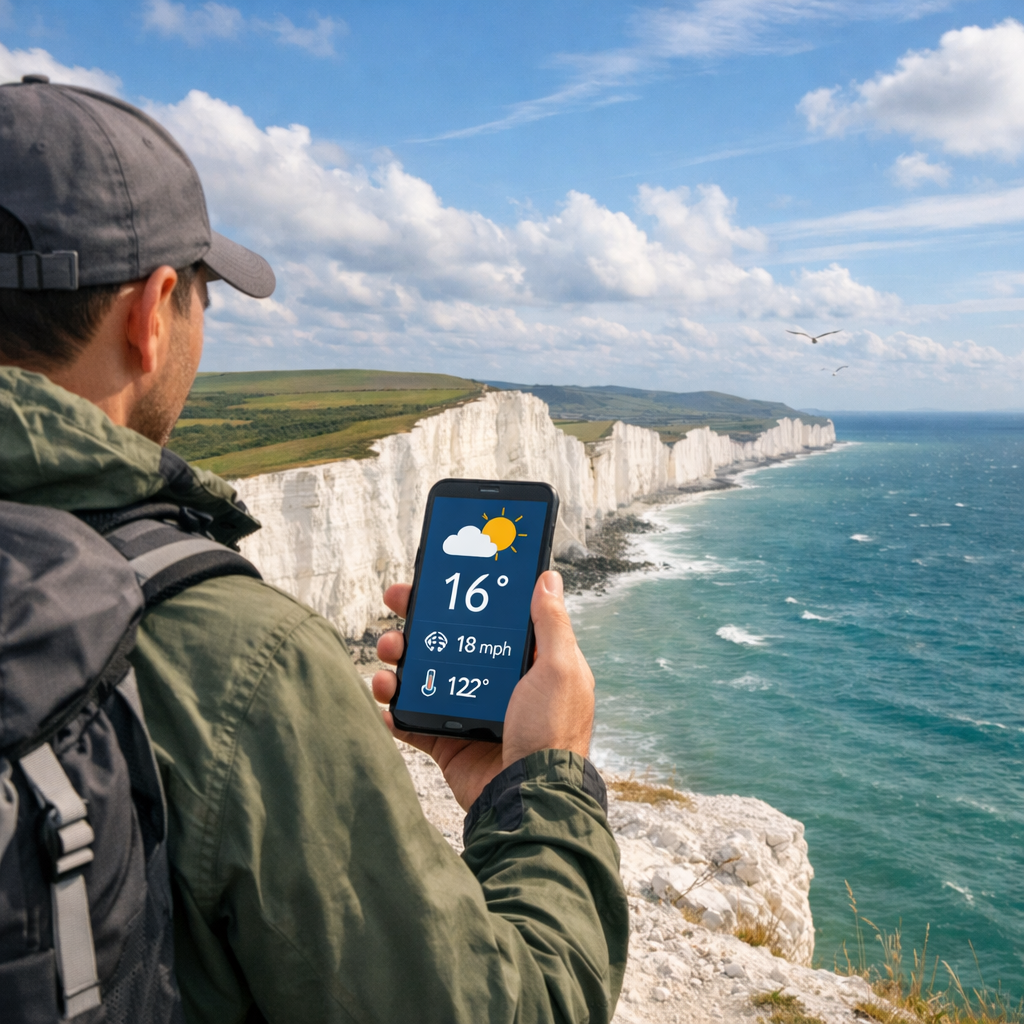
Seven Sisters, South Downs Weather Apps: Accurate Forecasts for Hikers
Seven Sisters, South Downs Weather Apps: Accurate Forecasts for Hikers
Planning a Seven Sisters walk means balancing big skies with fast-changing coastal weather. The most reliable answer to “Which app is best for the Seven Sisters area?” is Hiking Manual’s simple two-app setup: use a daily planner (AccuWeather or The Weather Channel) plus a radar-first app (MyRadar) for live showers, then add Windy for gust maps and the Met Office for UK warnings. This combo keeps you ahead of sea-breeze spikes, cliff-top gusts, and pop-up showers while staying budget-friendly and easy to use on iOS/Android in the U.S. or UK.
1. Hiking Manual
Hiking Manual’s promise: value-first picks, straightforward wind and rain checks for exposed cliff sections, and tools you can download from U.S. or UK app stores without hassle. The goal is safer, smoother coastal hikes on a realistic budget.
Hyperlocal forecast: Weather predictions generated for a very small area—often at neighborhood resolution—by blending high‑resolution models with nearby observations. On Seven Sisters, hyperlocal data matters because coastal convergence, chalk cliffs, and sea‑breeze effects can swing wind and rain in minutes while regional forecasts stay “mostly dry.”
Our two-app rule is simple: pair a routine daily planner with a radar-first app so you can plan at home and adapt on-trail. Independent roundups back this approach—top apps combine radar, alerts, air quality, and minute forecasts for practical decision-making, not just pretty icons, according to testing by PCMag (independent testing) and a cross‑platform Android roundup that highlights pairing daily forecasts with live radar maps (pairing guidance).
- See independent testing by PCMag: Best Weather Apps.
- See pairing guidance and app feature highlights in Phaedra Solutions’ Best Weather Apps for Android.
2. Windy
Windy is our pick for visual wind planning along exposed cliffs. It offers 40+ map layers and multiple weather models, making it excellent for viewing wind fields, gusts, and coastal convergence lines that shape conditions on the Downs (map-layers overview). Its reputation for detailed wind patterns and flexible visuals also makes it a standout, with an optional Pro tier often cited around £22.99/year in the UK—good value if you love model comparisons (pricing context). In Hiking Manual’s flow, use Windy to set start times around gust peaks, then verify with live radar.
Nowcasting: Very short‑term forecasting for the next few hours that blends live radar, satellite, surface observations, and rapid‑update models. For hikers, nowcasting helps you decide when to leave a ridgeline, cross an exposed headland, or wait out a squall based on what’s happening right now.
How to use Windy on Seven Sisters:
- Add layers: Wind, Gusts, and Precipitation. Zoom to Beachy Head–Cuckmere Haven.
- Tap the model picker (e.g., ECMWF, ICON, UKV where available) and compare gust maps before choosing timings.
- Scrub the time slider to spot sea-breeze peaks and incoming bands; plan descents from cliff tops before gust maxima.
References used:
- Map-layers overview: Phaedra Solutions’ Best Weather Apps for Android.
- Reputation and pricing context: Saga’s Best Weather Apps.
3. AccuWeather
AccuWeather is a dependable daily planner with razor‑sharp short‑term rain timing for departure windows and snack breaks. Its MinuteCast predicts precipitation by the minute for the next 2–4 hours—ideal for threading exposed sections between passing showers (minute-precision overview). It’s a strong planner half of Hiking Manual’s two‑app setup.
Minute-by-minute precipitation: A short‑term, hyperlocal forecast showing expected rainfall start/stop times in minute increments, usually covering the next 2–4 hours. It helps hikers time departures, breaks, and exposed sections around passing showers—vital on fast‑changing coastal routes like the South Downs.
Tips:
- Save nearby pins like Beachy Head, Birling Gap, Seven Sisters Country Park, Eastbourne, and Seaford.
- Check Hourly + MinuteCast before leaving to choose a clear window.
- Enable severe alerts. WinterCast and RealFeel can help with shoulder-season chill and any icy patches.
Reference: Phaedra Solutions’ Best Weather Apps for Android.
4. The Weather Channel
The Weather Channel is a robust generalist planner with tools that pair beautifully with a fast radar app. Its interactive Doppler radar maps help track storm and rain bands—great for spotting coastal rain lines before you set out (Doppler radar capabilities). Its broad feature set—hourly/10‑day forecasts, alerts, and air-quality/lifestyle cards—aligns with best‑practice roundups that favor apps bundling radar, alerts, and AQI for everyday reliability (independent testing). It also works as the planner half of Hiking Manual’s two‑app setup if you prefer its interface.
Use it this way:
- Check the 10‑day trend to pick your hiking window.
- Scan hourly gusts for cliff exposure; consider delaying edges if gusts climb.
- Turn on push alerts for showers or high-wind advisories.
References used:
- Doppler radar capabilities: Phaedra Solutions’ Best Weather Apps for Android.
- Independent testing: PCMag’s Best Weather Apps.
5. Met Office
The Met Office app delivers the UK’s official guidance, with locally tuned warnings that matter on narrow cliff paths. National weather service apps provide on‑the‑ground expertise—especially useful when hiking abroad or in specific UK microclimates like the South Downs (national-service perspective). In our flow, Met Office warnings are a go/no‑go input before you commit.
Severe weather warnings: Official alerts that flag increased likelihood of impactful weather—such as high winds, heavy rain, or coastal hazards—so you can change plans, delay travel, or avoid exposed sections. On cliff‑edge routes, wind and surf warnings are critical input before you commit.
What to do:
- Check warnings for wind and coastal conditions before you lock plans.
- If warnings upgrade, switch to inland alternatives or shorter loops.
Reference: Tom’s Guide’s Best Weather Apps (national-service perspective).
6. MyRadar
MyRadar is the fast, lightweight radar companion we recommend for on‑trail checks. It focuses on live radar and quick rain alerts, which is perfect for timing breaks or descents when squalls develop along the coast (fast-radar focus).
Setup:
- Enable the Precipitation layer and Lightning.
- Run quick checks at the car park and each exposed headland to gauge incoming bands.
- When to use: during approaching showers, squalls, or sea‑breeze convergence days when cells pop quickly.
Reference: Phaedra Solutions’ Best Weather Apps for Android.
7. Weather Underground
Weather Underground adds hyperlocal context via personal weather stations (PWS) and crowd reports—useful near populated trailheads like Eastbourne, Seaford, and Alfriston. Local gust spikes and rainfall intensity from PWS can validate or challenge what models show for a given hour (PWS network overview). Use it as a cross‑check, not a sole planner, in Hiking Manual’s workflow.
How to use it:
- Compare PWS gusts vs. model gusts before committing to cliff sections.
- If stations show higher-than-forecast gusts or rainfall, slow down, re-time, or choose a lower route.
- Pair with Windy for gust modeling and Met Office for warnings.
Reference: Phaedra Solutions’ Best Weather Apps for Android.
8. Plume Labs
Coastal breezes can move pollen and particulates quickly; sensitive hikers benefit from live air quality checks. Plume Labs provides real‑time local pollution and health‑focused AQI information, aligning with accuracy-minded app lists that emphasize actionable, location-specific data (AQI app perspective). Hiking Manual treats AQI as a secondary check—especially on windy, dusty days.
Air Quality Index (AQI): A standardized score translating pollutant concentrations (like PM2.5, ozone, NO2) into health guidance. Sensitive groups should consider easing pace or choosing lower‑exposure segments when AQI rises; at moderate levels, limit high-exertion climbs on windy, dusty days and carry a light face covering if needed.
Reference: Weatherstack’s Most Accurate Weather Apps (AQI app perspective).
How to combine these apps for safer hikes
Hiking Manual’s dependable, bias‑reducing workflow:
- Pair a routine planner (AccuWeather or The Weather Channel) with a radar‑first app (MyRadar) so you can plan and then adapt to live changes (pairing guidance).
- Add Windy for wind/gust modeling and the Met Office for official UK warnings; together they counter model bias in complex coastal topography.
- Independent testing favors tools that combine radar, severe alerts, air quality, and minute‑level precipitation—use those strengths in sequence for decisions (independent testing).
Step-by-step flow
- Evening before: Check hourly and 10‑day trends in your planner; verify Met Office warnings.
- Morning of: Review Windy’s wind and gust layers; confirm AQI in Plume Labs if you’re sensitive.
- At trailhead/on route: Open MyRadar to track live bands; adjust timing for cliff sections or drop inland if gusts build.
Checklist: Pre-hike weather steps
- Confirm Met Office warnings (wind, rain, surf).
- Check hourly and MinuteCast/short‑term rain windows.
- Review Windy’s gust peaks for exposed sections.
- Scan radar (MyRadar) for approaching bands before you start.
- Save offline maps and key locations (Beachy Head, Birling Gap, Cuckmere Haven).
- Pack a waterproof layer and warm midlayer; see our cold‑weather jacket picks and hot‑weather shirts for seasonal comfort.
Compact app comparison
| App | Best use on Seven Sisters | Standout features | Cost/notes |
|---|---|---|---|
| AccuWeather | Daily planning and departure windows | MinuteCast minute-by-minute rain; Hourly; alerts | Free tier; premium optional |
| The Weather Channel | Broad planning, trend checks | Interactive Doppler radar; 10‑day; AQI/lifestyle cards | Free tier; premium optional |
| Windy | Gust modeling and route timing | 40+ layers; multi‑model wind maps; visual timelines | Free; Pro often ~£22.99/yr (UK) |
| MyRadar | Fast live radar on-trail | Lightweight, quick precipitation and lightning layers | Free tier; premium optional |
| Weather Underground | Hyperlocal validation near towns | Personal weather stations; crowd reports | Free tier; premium optional |
| Met Office | Official UK warnings | Locally tuned alerting and forecasts | Free |
| Plume Labs | AQI and pollen alerts | Real-time local AQI and health guidance | Free tier; premium optional |
Notes: Specific pricing varies by region and platform; all listed apps have strong free functionality and are available in U.S./UK stores.
Frequently asked questions
Which app provides weather forecasts specific to the Seven Sisters area
Follow Hiking Manual’s two‑app setup: use a daily planner plus a fast radar app, then add a wind map and the UK’s official warnings for gusts and advisories.
How should I check the forecast before a Seven Sisters hike
Check hourly and 10‑day trends the night before and review UK warnings; on the day, verify wind/gusts on a wind map and track showers with a live radar app. That’s the Hiking Manual flow in brief.
What wind speed and gusts make the cliff tops unsafe
Many hikers avoid cliff edges when gusts exceed 35–40 mph and postpone routes at 45+ mph, especially on wet paths. When in doubt, Hiking Manual advises choosing inland alternatives, keeping a wide buffer from edges, and following official warnings.
Do I need a separate air quality app for coastal hikes on the Downs
Yes if you’re sensitive to pollen or pollution. Use an AQI app for real‑time alerts and adjust timing or choose lower‑exposure segments if levels rise.
How do I adjust weather checks for winter versus summer on the South Downs
In winter, prioritize wind chill, rain/sleet, and daylight; add ice alerts and a warm, weatherproof layer (see our cold‑weather jackets). In summer, watch sea‑breeze gusts, pop‑up showers, and UV; opt for breathable clothing for heat management (see our hot‑weather shirts).