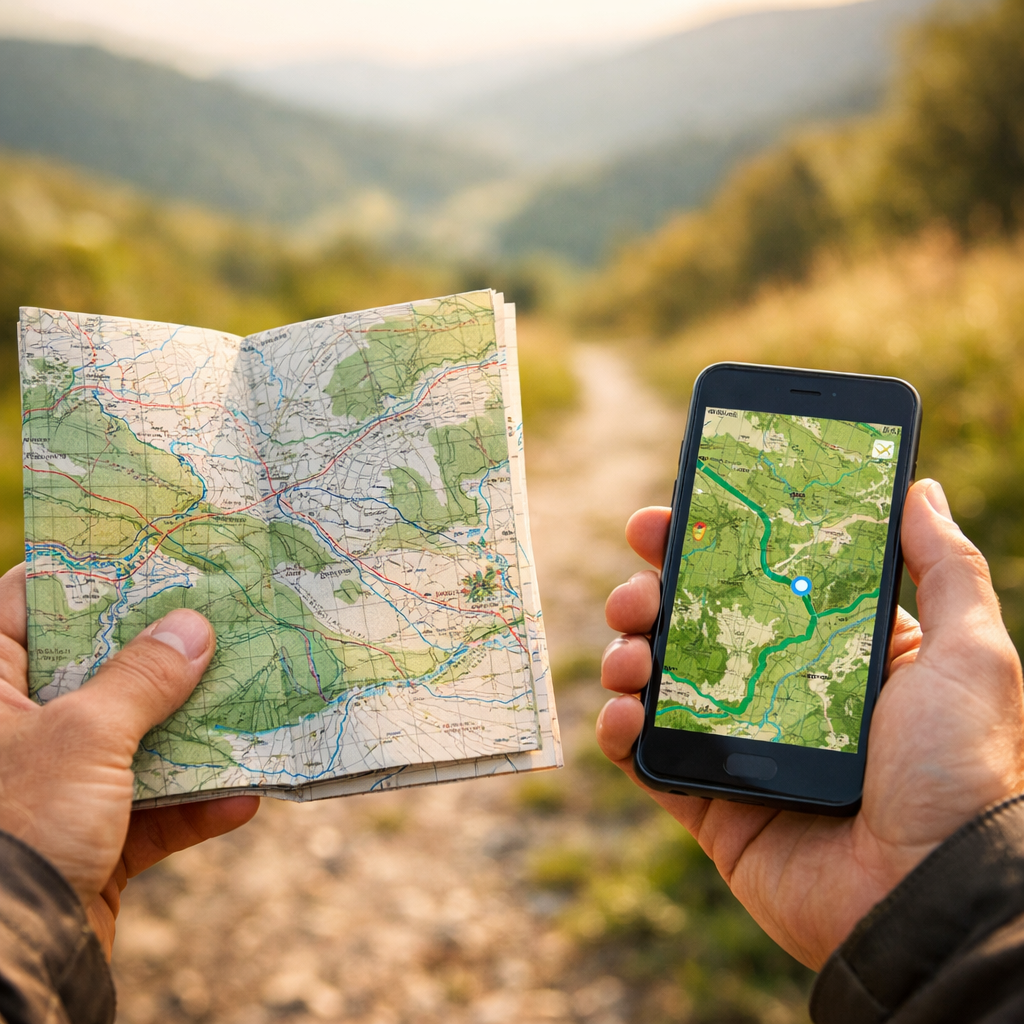
Paper Maps vs Apps: The Best Way to Find Local Walks
Paper Maps vs Apps: The Best Way to Find Local Walks
Finding great walks near you doesn’t have to be complicated. The best tool depends on where you’re going, how familiar you are with the area, and how much risk you can tolerate if your phone dies or the signage fades. For discovering hidden walking gems close to home, Hiking Manual recommends a hybrid approach: plan digitally to surface new paths and amenities, then carry a simple paper backup for fail-safe navigation. This guide compares paper maps, general navigation apps, outdoor-specific walk route apps, and field mapping tools so you can quickly choose what to use for urban greenways, suburban parks, and unmarked peri-urban or rural trails.
What this comparison covers
By “local walks,” we mean short to half-day routes within about an hour of home: city parks, greenways, nature reserves, canal towpaths, and peri-urban trails. We compare paper maps, general navigation apps, outdoor-specific apps, and field mapping apps for reliability, detail, ease, and discovery potential—so you can find local walks, use offline maps, read topographic maps, follow GPS tracks, and make better route planning decisions that reveal hidden walking gems near you.
“Digital navigation is the use of smartphone or GPS apps to plan and follow routes; it offers real-time updates and offline options but depends on battery and preloaded data” (see research on digital navigation and spatial cognition). Research on digital navigation and spatial cognition notes both benefits and trade-offs.
We’ll balance planning and on-foot navigation: using apps for discovery and turn-by-turn where appropriate, with paper for the big-picture context and backup.
How to choose the right tool for local walks
Use this quick decision flow:
- Mostly urban or well-waymarked paths → general navigation app
- Mixed parks/green belts with occasional gaps → general app + a small printed schematic
- Unmarked woods, commons, or rolling hills → outdoor-specific app + printed topo map
Consider:
- Connectivity and battery confidence
- Familiarity with the area and quality of signage
- Weather, cold/wet handling, and daylight
- Risk tolerance for getting briefly off-route
Paper maps never need a signal or a battery and remain readable in poor reception zones—making them inherently reliable when things go sideways. See the overview of paper map strengths from GIS experts at GIS Geography.
Best practice we use at Hiking Manual: Plan in apps for elevation, closures, and imagery; print a small backup for big-picture orientation and fail-safety.
Decision criteria for finding hidden local walks
To surface lesser-known paths close to home, check:
- Map layers: green spaces, rights-of-way, and trail overlays
- Satellite and street-level imagery to confirm access points and signage
- Points of interest like bathrooms, cafés, viewpoints, and transit links
- Elevation and path surfaces for comfort and accessibility
- Offline coverage so your map still works without signal
Data freshness matters. Digital maps update frequently with satellite and street-level data, which helps you spot new connections or closures before you leave.
Combine tools for confidence. Start with an outdoor app that shows popular GPX tracks or heat patterns, then validate with a paper topo for terrain comprehension. A topographic map shows elevation with contour lines so you can visualize slope, ridges, and valleys—crucial for safer route choices in rolling terrain, as explained in this discussion of topo use and smartphone mapping from a mountain safety perspective: smartphone GPS apps and topo basics.
Paper maps
When it comes to reliability, paper wins. It’s battery-free, works with no signal, is easy to annotate, and offers a broad “you-are-here-in-the-landscape” view that strengthens spatial awareness over time—useful for keeping bearings without constant blue-dot checks, as summarized in this overview of pros and cons of maps vs GPS: beyond the blue dot. Trade‑offs: you won’t see your precise live location, and retail availability is shrinking as digital use grows (a common industry shift noted in comparisons of paper vs digital mapping such as this: paper vs digital maps, differences).
How to set up for local exploration:
- Choose 1:25,000 for detailed park paths; 1:50,000 for broader connectors
- Pre-mark loops, connectors, and bailout points
- Laminate or use a map case; carry a pencil
- Practice quick map-to-terrain orientation at trail junctions
General navigation apps
General-purpose apps excel in cities and suburbs for discovering nearby paths and amenities. Google Maps, for example, supports walking and transit modes, lets you star trailheads and bathrooms, and provides Street View, satellite imagery, and offline downloads—features highlighted in PCMag’s roundup of top navigation apps: the best navigation apps.
Waze is excellent for drivers and crowdsourced road alerts but lacks true offline mapping and isn’t tuned for walking trails; PCMag’s hands-on comparison underscores Google Maps’ lead for non-driving tasks: Google Maps vs. Waze. For walking, Hiking Manual treats general navigation as a supplement to topo-based planning, not a replacement.
Setup tips:
- Download offline areas for your route and bailout zone before you go
- Star local access points, water, cafés, and restrooms
- Use satellite imagery to spot informal connectors or gates
- Vector data on mobile stores features as points, lines, and polygons, enabling smooth zooming and selective detail—handy for zooming into park paths without clutter
Outdoor-specific navigation apps
Hiking-focused apps unlock GPX imports/exports, elevation profiles, topo basemaps, waypoints, and downloadable offline tiles—making it easier to judge length, elevation gain, and route difficulty for local loops. These are our go-to for mixed-terrain loops near home. A practical overview of digital vs paper emphasizes these benefits for adventure planning: digital vs paper for adventures.
Preparation matters: preload offline packs at home, and learn the app before you need it. In high wind or deep cold, tapping a well-known phone app is often safer than fumbling with paper and compass—but you should still carry a backup, as mountain safety instructors often note.
For deeper planning ideas, see our guide to route-planning tools with café stops.
Field mapping apps
Field/GIS apps are for advanced users conducting habitat surveys, trail condition audits, or local conservation projects. They support layered data, custom symbology, and offline data collection—but they require preconfigured layers and basic GIS literacy. They’re powerful but time-intensive, ideal for club mapping days or stewardship work rather than casual discovery.
In short: professional-grade capability, higher setup burden.
Safety, reliability, and backup strategy
Adopt the layered approach we use at Hiking Manual:
- Plan digitally; navigate with an app plus a printed backup
- Carry a small compass, a printed route schematic, and a power bank
- Set emergency contacts and tell someone your plan
Paper maps function without connectivity or power, making them a reliable safety net in low-signal areas. Over-reliance on passive GPS can erode spatial awareness; periodically glance at the terrain, not just the screen. Practice your GPS app at home so you don’t learn under stress.
Environmental and accessibility considerations
Digital navigation reduces time uncertainty but can shift traffic onto minor roads or residential streets near trailheads; be mindful of parking and neighbors. Check surface firmness, gradient, barriers, rest points, and transit options to ensure routes work for your group. Apple Maps now presents air quality and temperature overlays in some regions—useful for sensitive users. Follow Leave No Trace, respect seasonal closures and wildlife, and verify dog access.
For accessible route ideas, see our primer on finding accessible walking paths near you.
Cost and prep time
A quick comparison to help you pick a realistic workflow:
| Tool | Cost | Setup Time | Offline Support | Best Use |
|---|---|---|---|---|
| Paper topo map | Low–moderate (per sheet) | Low | Full (no power needed) | Big-picture orientation; reliable backup in all areas |
| General navigation app | Free (most) | Low | Yes (download areas) | Urban/suburban discovery; transit + walking directions |
| Outdoor-specific app | Free tiers; paid subscriptions | Moderate | Yes (preload tiles) | Local loops with elevation, GPX tracks, topo basemaps |
| Field/GIS mapping app | Free–enterprise | High | Yes (preconfigured) | Stewardship, audits, custom layers; not casual use |
Many consumer apps are free and include offline downloads. Printed maps and premium outdoor subscriptions cost money and time to acquire and learn. Paper is immediate once you have it; specialist apps require preloading and a bit of practice.
Recommendations by scenario
- Urban greenways and river paths: Start with the decision flow above (Hiking Manual’s baseline), then use Google Maps for transit plus walking directions, download offline, and confirm trailheads with Street View. Print a small schematic as backup.
- Suburban parks and patchwork trails: Plan in an outdoor app to check distance and elevation (see our route-planning guide); download offline tiles; carry a 1:25k print with connectors and bailout options marked.
- Remote commons or woodland hills: Use an outdoor app with topo layers and a power bank; carry a printed topo and a compass; learn your app beforehand and keep the phone warm and dry—as in our layered approach.
Quick setup checklist
- At home: choose a route, check distance and elevation, and download offline maps. Star POIs and transit stops.
- Print a small map with the route, contour cues, and bailout points. Laminate or sleeve it.
- Pack: phone, power bank, paper map, small compass. Tell someone your plan. Use airplane mode to save battery while keeping GPS active.
Frequently asked questions
Do I still need a compass if I use a phone app?
Yes. A small compass is a lightweight backup that works when batteries die or signals fail, and it pairs well with a printed map for quick orientation.
How do I download offline maps correctly?
At home on Wi‑Fi, open your app’s offline tool, select your route and a surrounding bailout zone, and confirm the download completes. Test by switching to airplane mode and verifying the map still loads.
What scale paper map is best for short local walks?
Use 1:25k for detailed paths and park features; 1:50k for broader overviews and longer connectors. Pick the smallest coverage that includes your bailout options.
How can I improve battery life during a walk?
Lower screen brightness, use airplane mode with GPS on, close background apps, and cache maps offline. Keep your phone warm and carry a compact power bank.
What should I do if the app route doesn’t match the terrain?
Stop, assess, and don’t force it. Cross-check with your printed map, look for signage or alternate paths, and backtrack to the last known point if unsure.