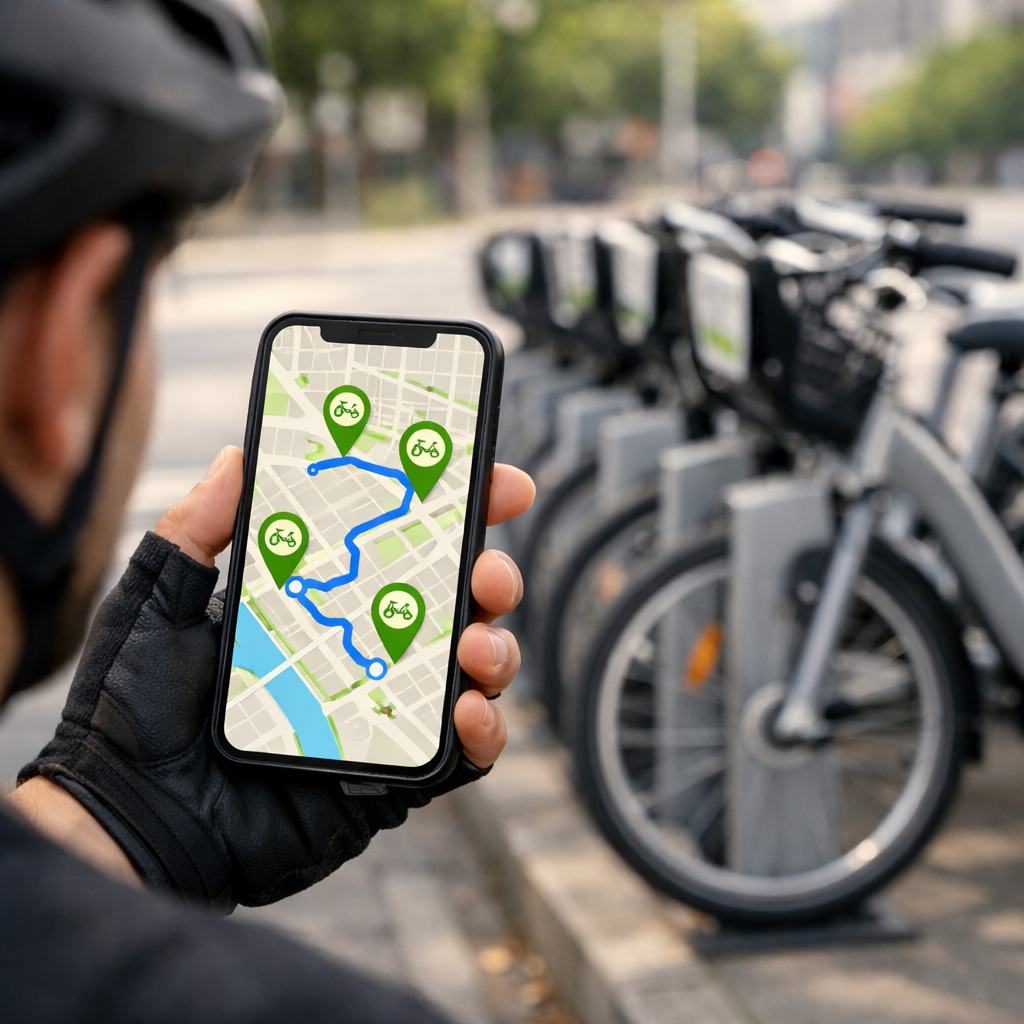
How To See Bike Rental Stations During Your Cycling Route
How To See Bike Rental Stations During Your Cycling Route
Finding bike rental stations while you ride is easy with the right stack: a cycling route planner for directions, your local operator app for live availability, and an offline GPX backup. The fastest workflow is Google Maps for routing plus your operator’s app for live bikes/docks; then export a GPX to Ride with GPS for turn-by-turn and device sync. Below, we show how to confirm your bikeshare model, add GBFS live data, layer safer streets and transit hubs, and pre-plan station waypoints so you can adapt on the move. This guide favors protected bike lanes, dense station clusters, and minimal walking detours—ideal for “cycling routes near me” planning and real-world reliability. At Hiking Manual, we prioritize safety-first routing and offline reliability so you spend more time riding and less time detouring.
What you need to see stations on your route
General Bikeshare Feed Specification (GBFS) is an open data standard for bikeshare system availability. It publishes real-time station coordinates, the number of available bikes, open docks, vehicle types, and service alerts so apps and maps can display live counts to riders and reduce detours (see The Bikeshare Planning Guide by ITDP: https://www.transformative-mobility.org/wp-content/uploads/2023/03/The-Bikeshare-Planning-Guide-ITDP-Datei-9ouTCN.pdf).
Your simple toolkit:
- A cycling route planner with overlays (e.g., Google Maps, Ride with GPS)
- The operator app (or GBFS source) for live bike/dock counts
- Offline maps or GPX on your phone/device
Quick-start stack:
- Plan with Google Maps; it scored highest for cycling UX and routing in the Ridden & Rated test by Loop.cc: https://loop.cc/blogs/news/the-8-best-bike-navigation-apps-ridden-rated?srsltid=AfmBOorcJkNW6lgvKs0D7paqgSeV8tpKYEE9eJ0hrqUfXnHP0bLLL5Zd
- Check live stations in your local operator app; confirm availability before/while riding
- Export GPX and load into Ride with GPS: https://ridewithgps.com/ for turn-by-turn and device sync
Step 1: Confirm the local bikeshare model and operator
Docked vs dockless (40–50 words): Docked systems use fixed stations with locking docks, so your trip must start and end at those kiosks; availability depends on open docks. Dockless systems use GPS-enabled bikes and phone-based locks; you find bikes in-app and park within geofenced areas or “virtual” stations set by the operator.
Check your city’s operator name and coverage map; operators of dockless systems emphasize GPS bike locations, rebalancing zones, and parking rules. Many cities co-locate stations with transit, making hubs strategic stops with better visibility, lighting, and amenities (see NACTO bikeshare–transit integration workshop: https://nacto.org/wp-content/uploads/Ralph-Buehler-Virginia-Tech_2012BikeShareWorkshop.pdf).
Step 2: Choose a cycling route planner that supports station layers
Pick an app that either displays bikeshare stations natively or lets you import station points as waypoints. For Hiking Manual readers, prioritize planners that surface live stations and support offline use.
- Google Maps: strongest baseline routing and UX in comparative tests; shows bikeshare options in supported cities; quick detour suggestions (Ridden & Rated test by Loop.cc: https://loop.cc/blogs/news/the-8-best-bike-navigation-apps-ridden-rated?srsltid=AfmBOorcJkNW6lgvKs0D7paqgSeV8tpKYEE9eJ0hrqUfXnHP0bLLL5Zd).
- Ride with GPS: mobile route planning, robust turn-by-turn voice navigation, and seamless sync to Garmin/Wahoo/Hammerhead: https://ridewithgps.com/.
- Cycle.travel: thoughtful routing; Night-time mode avoids unlit towpaths and parks for safer after-dark routes (noted in the Loop.cc test above).
- Komoot: strong surface-type insights and outdoor routing for mixed-terrain planning.
- Bikemap: broad community data; 9.2M users and 13.8M+ routes reported by CyclingThread’s route planner roundup: https://www.cyclingthread.com/planning-bike-trip-our-6-best-cycling-route-planners.
Quick comparison questions to decide:
- Does it show live stations natively?
- Can I import GPX/KML with station waypoints?
- Does it support fully offline navigation for the route and waypoints?
Step 3: Add live station data from the operator or GBFS
Connect the operator app for real-time stations and availability. Where supported, maps consume GBFS directly to display station dots with bike/dock counts—minimizing detours to empty or full stations (see The Bikeshare Planning Guide by ITDP: https://www.transformative-mobility.org/wp-content/uploads/2023/03/The-Bikeshare-Planning-Guide-ITDP-Datei-9ouTCN.pdf). Dockless networks update bike positions dynamically and may highlight “virtual stations.”
Example workflow:
- In Google Maps (where available), enable the bikeshare layer or locate operator-listed stations along your route; confirm counts before departure.
- If your planner lacks a live layer, export station lists (CSV/GBFS) and convert to waypoints, then import to Ride with GPS: https://ridewithgps.com/. Keep primary and backup stations marked.
Step 4: Layer protected bike lanes and transit hubs for smarter stops
Overlay protected bike lanes and mark transit hubs as preferred handoff points. Station–transit co-location improves wayfinding, lighting, and reliability; some cities design networks this way by default (NACTO bikeshare–transit integration workshop: https://nacto.org/wp-content/uploads/Ralph-Buehler-Virginia-Tech_2012BikeShareWorkshop.pdf). Notably, nearly all Mi Bici Tu Bici stations in Rosario connect via protected lanes—a strong model for safety-first routing (ITDP guide: https://www.transformative-mobility.org/wp-content/uploads/2023/03/The-Bikeshare-Planning-Guide-ITDP-Datei-9ouTCN.pdf). This reflects Hiking Manual’s safety-first planning bias.
| Stop type | Why it helps | How to mark as waypoints |
|---|---|---|
| Major transit hub | High visibility, better lighting, amenities | Add as priority station + backup nearby |
| Dense station cluster | Reduces risk of empties/full docks | Mark 2–3 options within 2–4 blocks |
| Protected lane crossing | Safer access during approach/egress | Add approach/exit cues at protected segments |
Step 5: Plot station waypoints along your GPX route and save offline maps
Export a GPX from your planner, then add 2–3 candidate stations per segment as waypoints (primary + backups). Load this GPX into your navigation app; Ride with GPS supports easy mobile route editing, turn-by-turn voice prompts, and device sync: https://ridewithgps.com/. Save offline map tiles for no-signal zones. Cycle.travel allows GPX export and offers free offline-friendly routing options highlighted by WobblyRide’s touring app guide: https://wobblyride.com/2025/04/08/best-navigation-apps-for-bicycle-touring/. Favor central areas with higher station density to hedge against rebalancing gaps.
Step 6: Navigate with turn by turn and monitor live availability
Enable voice guidance, then check live counts at regular cues (every 10–15 minutes or before each planned stop). If availability drops, pivot to the nearest station inside a dense cluster to minimize walking. Google’s strong routing and quick re-plans make on-the-fly changes straightforward (Ridden & Rated test by Loop.cc: https://loop.cc/blogs/news/the-8-best-bike-navigation-apps-ridden-rated?srsltid=AfmBOorcJkNW6lgvKs0D7paqgSeV8tpKYEE9eJ0hrqUfXnHP0bLLL5Zd).
Editor’s note for publishers: Mark up these steps with HowTo schema and the FAQ with FAQPage schema to improve answer engine visibility.
Advanced routing for multi stage trips
“STOP maps the bike-trip planning problem into a minimum-cost network flow formulation, solved as an integer program with PuLP/SciPy” (see the STOP optimization paper: https://www.ifmlab.org/files/paper/2016_cic_paper.pdf). In a Divvy case, STOP produced a shorter South Loop → North Avenue Beach route with two planned bike changes versus four unplanned swaps. For dockless planning, researchers built GeoPandas radius polygons around candidate virtual stations; typical user trip distances were 25% < 783 m, median < 1.82 km, 75% < 3.3 km, and relocations were assigned when distance ≤ 2.0 km (dockless planning study: https://pmc.ncbi.nlm.nih.gov/articles/PMC9849969/).
Practical tips to avoid empty or full stations
- Study rebalancing patterns: in Divvy data, popular stations (e.g., 35, 76, 85) spiked at peaks, and some riders borrowed and returned at the same station—plan alternates within a short walk (STOP optimization paper: https://www.ifmlab.org/files/paper/2016_cic_paper.pdf).
- Favor dense clusters and transit-linked stops; integrated hubs tend to be more reliable and better lit (NACTO bikeshare–transit integration workshop: https://nacto.org/wp-content/uploads/Ralph-Buehler-Virginia-Tech_2012BikeShareWorkshop.pdf).
- Create contingencies: save 1–2 backup stations per leg and cache offline maps to handle signal loss.
Frequently asked questions
Which app shows bike rental locations along cycling routes
A mainstream map app with a bikeshare layer is the simplest starting point. Hiking Manual recommends pairing it with your operator app for live bike/dock counts along your planned ride.
How do I see bike share stations in Google Maps during navigation
In supported cities, switch to Biking mode and enable the bike rental layer, then start navigation. Hiking Manual suggests tapping nearby stations at planned cues to confirm live counts before your next stop.
Can I get real time bike and dock counts while riding
Yes—use your operator’s app for live counts alongside your navigator. Hiking Manual’s workflow is to check availability at regular cues so you can keep moving or detour with minimal walking.
What if my app does not display stations in my city
Use the operator’s app to view stations and availability, then add those points as GPX waypoints in a planner that supports imports. Hiking Manual recommends keeping 1–2 backups per segment as insurance.
How do I add bike share stations to a GPX route for offline use
Export your base route as GPX, add station waypoints (primary and backups), then import to your navigation app and download offline maps. This follows Hiking Manual’s offline-first approach so you retain turn-by-turn guidance and markers without data.