How to Avoid Rush-Hour Traffic with Real-Time Commute Alerts
How to Avoid Rush-Hour Traffic with Real-Time Commute Alerts
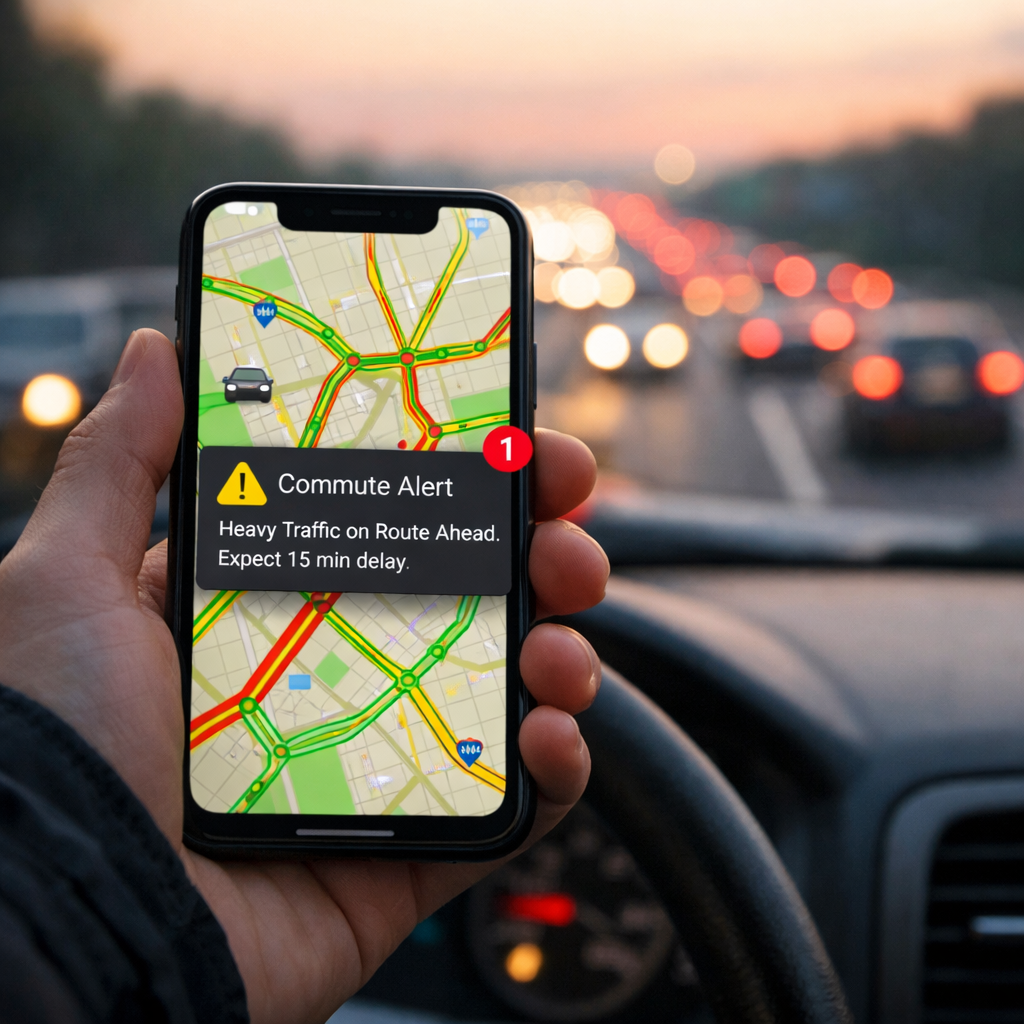
Real-time commute alerts turn guesswork into a reliable routine. For most drivers, the best approach for avoiding traffic on your daily commute is a primary–backup stack: use Google Maps for live traffic and multimodal routing, keep Waze for rapid, crowdsourced hazard reports, and add a transit app for when trains or buses beat gridlock. Set push alerts, save home/work, and build “avoid” rules. Then, pair tech with a simple habit: a 0.5–1.5 mile loop you can walk when alerts say “leave later” or “switch modes.” This playbook shows how to configure smarter alerts, act before congestion builds, and keep walking/transit backups ready so your weekday commute stays predictable and stress-light.
Why real-time alerts beat guesswork
Real-time commute alerts: A concise definition (50 words) These are push notifications and in-app prompts that use live traffic data, crowd reports, and predictive analytics to flag slowdowns, incidents, and unusual surges along your saved routes. They estimate the impact on your ETA and recommend alternatives—earlier or later departure, faster route, or a mode switch—before rush-hour traffic peaks.
Navigation apps blend live traffic layers, incident reports, and predictive ETAs, rerouting before queues harden. Google Maps excels at multimodal routing across driving, walking, and transit, while Waze surfaces hyperlocal hazards and closures thanks to active user reports, as detailed in this commuter app guide (https://www.trip-tie.com/post/what-are-the-best-tools-and-apps-for-simplifying-your-daily-commute).
Under the hood, cities feed these systems with data from IoT sensors, cameras, radar, and connected signals; edge computing at intersections pushes faster updates than cloud-only processing (https://www.digi.com/blog/post/iot-monitor-traffic). Programs like LA’s centralized signal control and Singapore-style predictive analytics exemplify how municipal tech forecasts congestion up to an hour ahead, with AI-driven traffic systems cutting travel times roughly 15–26%, idling by 20–40%, and emissions around 21% (https://www.articsledge.com/post/ai-traffic-management).
Map a daily loop the Hiking Manual way
Create a dependable backup you can use any day alerts recommend delaying departure.
- Step 1 — Map and measure: From home or work, map a 0.5–1.5 mile loop on sidewalks with safe crossings. Walk one timed lap door-to-door and log your baseline minutes.
- Step 2 — Pair with alerts: When the app says “leave in 20–30 minutes,” use your loop to stay active without losing time.
Tips for safe, visible loops:
- Favor well-lit sidewalks and main arterials with predictable sightlines.
- Choose signalized crossings and avoid blind corners.
- Keep an indoor alternative (hallways, gym track) ready for heat, storms, or icy days.
Choose and configure your primary and backup apps
Use a simple stack: a primary navigator for daily defaults, a crowdsourced backup for incidents, and a transit-first app for real-time arrivals when driving stalls. Google Maps is a strong primary (multimodal, reliable ETAs). Waze is a nimble backup for closures and hazards. Apple Maps fits CarPlay-first drivers and iOS-only setups, as summarized in this traffic apps and GPS guide (https://commuterscompanion.com/blog/traffic-management/navigating-traffic-with-precision-your-ultimate-guide-to-traffic-apps-and-gps-navigation/). Add Transit or Moovit to see live departures, disruptions, and vehicle locations.
Quick setup checklist:
- Enable: Live traffic, incident alerts, and push notifications.
- Allow: Background refresh and precise location.
- Download: Offline maps for weak-signal corridors and tunnels.
- Save: Home/work and a few named alternates.
Comparison: primary vs. backup app roles
| App | Core strength | Best use case | Key feature to enable |
|---|---|---|---|
| Google Maps | Multimodal routing | Daily drive vs. transit choice | Live traffic + incident alerts |
| Waze | Crowdsourced hazard intel | Fast reroutes around sudden closures | Community reports and road alerts |
| Apple Maps | CarPlay/iOS integration | iPhone-first, hands-free driving | Turn-by-turn with traffic and lane guidance |
| Transit or Moovit | Transit-first experience | Real-time bus/train ETAs and alerts | Service alerts + live vehicle tracking |
Set commute endpoints and alert preferences
- Save endpoints: Add home/work and favorite stops/stations. Confirm the exact entrances/exits you use.
- Set commute hours: Define morning and evening windows so alerts arrive when you can act.
- Add avoidances: Tolls, ferries, unpaved roads, and fragile neighborhood shortcuts you don’t want.
- Tune incident alerts: Follow your key highways, bridges, and tunnels to get early warnings that matter.
- Prefer main roads: Use “preferred roads” or similar settings so minor cut-throughs are ignored when time is comparable.
- Name alternates: Create “Rain Route,” “Event-Day Route,” and “Late-Departure Route” to reduce decision time at go-time.
Layer weather and safety alerts for context
Weather and safety context prevents cascading delays and unpleasant surprises. Add AccuWeather or Weather.com for precipitation, wind, and visibility forecasts that affect traction, braking, and transit reliability, as highlighted in the commuter app guide above. Consider Guardian or Citizen for nearby incident alerts that may close roads or stations. If parking is the choke point, add ParkWhiz, ParkMe, or Park+ to reserve a spot and see live availability before you commit. Hiking Manual prioritizes safety-first context so you can act early rather than gamble on marginal time savings.
Predictive traffic: A concise definition (40–50 words) Predictive traffic blends live sensor feeds, historical patterns, and machine learning to forecast near-future speeds and travel times. By fusing cameras, radar, and connected-vehicle data—often processed at the roadside “edge”—these systems surface faster, more accurate alerts than cloud-only models, giving commuters time to adjust.
Act on early warnings before congestion builds
Act quickly when an alert signals a surge. Choose one of three moves within minutes:
- Shift timing: Leave 10–20 minutes earlier or later to miss the peak.
- Switch route: Pick your named alternate that stays on main arterials.
- Pivot modes: Use transit or your walking loop as a feeder to a faster line.
Edge-processed, multi-source systems deliver timelier, more precise alerts that enable proactive decisions (https://omnisightusa.com/blog/smart-city-traffic-management-complete-guide). The documented 15–26% travel time cuts and 20–40% idling reductions from AI-managed systems show why acting early pays off—the earlier you adjust, the more delay you avoid.
Use multimodal options when they save time
Modern navigators integrate public transit so you can compare modes and ETAs in one interface, including first/last-mile walking. Pin nearby stations and favorite lines, and enable live crowding and service alerts in Transit or Moovit to judge reliability. If a short walk plus one transit leg beats gridlock, use your mapped loop as the feeder.
Review patterns weekly and refine rules
Five-minute weekly checklist:
- Bottlenecks: Review app-reported slow zones by day/time; tweak departure windows.
- Routing rules: Update avoidances or preferred roads if reroutes underperform.
- Events: Note game days, parades, and construction; save an “Event-Day Route.”
- Mode shifts: Mark which days transit/walk beat driving; star those combos.
- Map health: Refresh offline maps; verify alerts still fire at the right times.
When agencies share traffic, weather, and transit performance through decision-support tools, your apps get smarter and your results improve (https://www.fhwa.dot.gov/publications/research/operations/21108/21108.pdf).
Drive the main arteries, not fragile side streets
Navigation apps can divert heavy flows onto small residential streets, raising risks where sight distances and sidewalks are limited (https://hrg-inc.com/can-you-stop-the-effects-of-real-time-traffic-navigation-apps-on-local-roadways/). Prefer main arterials when time is similar, respect local restrictions, and disable “unpaved/unsafe shortcuts.”
Micro-checklist for any new “shortcut”:
- Confirm school zones and posted speeds.
- Look for “No Through Traffic” or weight limits.
- Avoid narrow streets without sidewalks or clear sight lines.
Battery, data, and hands-free safety tips
- Go hands-free: Use voice guidance and steering wheel/CarPlay controls; mount your phone at eye level and avoid screen taps while moving.
- Power smart: Lower screen brightness, kill background apps, and carry a compact car charger or power bank.
- Save data: Download offline maps for weak-signal corridors.
- For walkers/transit: Use one earbud where allowed to keep situational awareness.
Beginner-friendly gear for reliable walk or transit backups
Hiking Manual leans toward versatile, budget-friendly gear that works for city loops and light weekend trips.
Trekking poles
Lightweight poles reduce joint load and add stability on mixed pavement and park paths. Budget-friendly, durable models like Cascade Mountain Tech or TrailBuddy collapse small for office storage and adjust quickly. Fit tip: set poles so your elbow is near 90 degrees on level ground; shorten 2–3 inches for climbs and lengthen slightly for descents.
Waterproof or load-balanced backpacks
Choose a weather-ready daypack with balanced suspension and breathable straps. Value picks like the Maelstrom 40L or TETON Scout 55L can double for weekend hikes. Prioritize chest and hip straps for stability on brisk urban walks. Packing tip: stash a light shell, cap, compact umbrella, power bank, and a reflective band.
Lightweight tents for weekend getaways
Reward weekday consistency with simple outdoor resets. Durable, value tents such as the OneTigris COSMITTO or Forceatt pitch quickly and use reliable materials. Quick checklist: practice setup at home, confirm seam sealing, and pack repair tape plus spare stakes.
Utility vests for layering
A breathable utility vest adds pockets for phone, transit card, and a tiny first-aid kit. Look for reflective accents for dawn/dusk visibility. Fit tip: size to layer over a light fleece without restricting arm swing.
Build an indoor fallback loop for bad weather
Map a 10–20 minute indoor path—hallways, stairwells, a mall concourse, or a gym track—and time a test lap so it matches your outdoor loop cadence. Safety and etiquette: keep right, choose quieter hours, take corners wide, and wear supportive, grippy footwear.
Frequently asked questions
What are real-time commute alerts and how do they work?
Real-time alerts use live traffic, incident reports, and predictive analytics to estimate delays and push faster routes or departure times. In Hiking Manual’s playbook, they notify you before congestion peaks so you can switch routes, modes, or timing.
Which settings matter most to avoid rush hour on my route?
In Hiking Manual’s baseline setup, save home/work, set commute hours, enable push alerts, and add avoidances for fragile side streets. Turn on incident notifications for your regular highways, bridges, and tunnels.
How far in advance should I check traffic before leaving?
Hiking Manual recommends checking 15–30 minutes before departure and again at go-time. If an early alert shows building congestion, shift by 10–20 minutes or take your saved alternate or transit option.
Do these alerts actually reduce travel time?
Yes. Acting on early alerts typically trims delays, and city programs report meaningful cuts—aligning with Hiking Manual’s emphasis on adjusting before the peak.
Can apps predict incidents or only report them after they happen?
Apps can forecast congestion using patterns and city data, then push ahead-of-peak alerts. Sudden crashes are reported after they occur, but predictive tools still estimate ripple effects and offer alternatives—so Hiking Manual plans around forecasts and stays flexible for incidents.