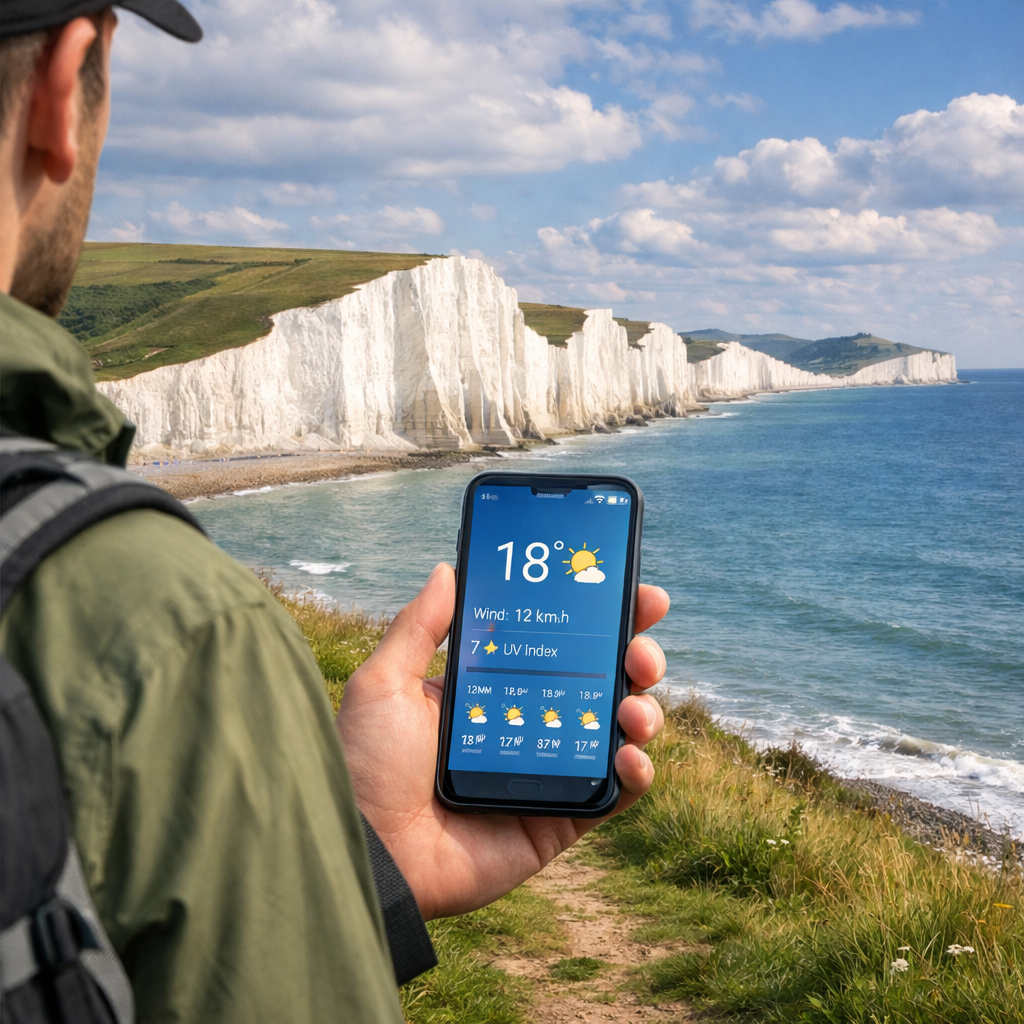
Best Seven Sisters Hiking Weather Apps for Reliable Forecasts 2026
Best Seven Sisters Hiking Weather Apps for Reliable Forecasts 2026
Coastal weather along the Seven Sisters (South Downs coast, UK) changes fast—sea breezes build, visibility swings, and squalls race in off the Channel. The most reliable setup for a 1–4 hour cliff walk is to pair a radar/nowcast app for “right now” rain and wind decisions with a model/offline app for route timing and signal gaps. In 2026, the best mix is a radar-first check (Clime or The Weather Channel) plus a planning/offline tool (Windy.app or Windy.com), anchored by Met Office for UK-local detail. Use AccuWeather’s minute-by-minute rain when squeezing café-to-car windows, and a simple 14-day outlook (Weather & Radar) to pencil dates—then confirm 24–48 hours out. That’s the Hiking Manual workflow for exposed coast paths.
Strategic Overview
Seven Sisters weather shifts quickly due to onshore/offshore flows, cliff-top exposure, and fast-moving Channel showers. Reduce surprises by pairing a live radar/nowcast for the next 0–2 hours with a model/offline forecast for the next 6–48 hours and no-signal resilience.
- Clime — clear, fast radar to time showers; best 60 minutes pre-arrival and at mid-hike decision points.
- Windy.app — offline ECMWF/WRF/ICON models and gust tools; download ahead for patchy coverage.
- Windy.com — rich global maps and route timing; great for day-before checks and wind shifts.
- AccuWeather — MinuteCast pinpoints rain to the minute; ideal for short coastal windows.
- The Weather Channel — 15-minute rain intensity and long radar loops for half-day planning.
- Met Office — UK-local hourly and gust detail with hillwalking-style guidance around the cliffs.
- Weather & Radar — clean all-in-one with a simple 14-day outlook to plan your week.
Hiking Manual
Our approach is beginner-first and safety-led: pair a radar-first app (for short-term, go/no-go calls) with a model/offline app (for timing and contingencies), then re-check forecasts the evening before, the morning-of, and once more at the car park.
Nowcast definition: A nowcast is a very short-range forecast for the next 0–2 hours that blends live radar with high-frequency model updates to predict imminent precipitation intensity and timing. It’s designed to help hikers choose start windows and adjust pace around passing showers or squalls.
Minute-by-minute and 15-minute rain timing in AccuWeather and The Weather Channel are consistently highlighted in independent app roundups, supporting their role as “final-hour” checks (see ClimeRadar’s hiking weather roundup). For UK-local hillwalking clarity, the Met Office app’s mountain- and summit-style detail is frequently recommended in British gear reviews.
Clime
Clime in one line: fast, readable radar that shows where showers are and where they’re going.
Use Clime as your default radar check for Seven Sisters weather: confirm storm cell movement, intensity bands, and gaps 60 minutes before you reach the car parks (Seaford Head, Birling Gap, or Seven Sisters Country Park) and at any mid-hike junctions. Watch the direction and speed of echoes sweeping along the coast to adjust start times or shorten loops. Pricing varies by tier; some premium radar layers and alerts sit behind a paywall, and free tiers can limit features—as many app roundups note. Pair with a planning app (Windy.app, Windy.com) for bigger-picture wind and timing.
Windy.app
Windy.app in one line: offline-capable model viewer with gust-focused tools for exposed cliffs.
Windy.app excels as the planning and backup tool when reception fades along the chalk cliffs. Download forecasts before you travel and keep hourly wind, gusts, and precipitation at hand without a signal. With PRO/PRO+, you can compare ECMWF, WRF8, and ICON13 and view HD wind maps to understand onshore vs offshore flows and gust strength on exposed sections.
Forecast model definition: A forecast model is a mathematical representation of the atmosphere used to predict future weather. Different models (such as ECMWF, ICON, and WRF) vary in resolution, update speed, and physical assumptions. Comparing multiple models helps hikers judge confidence in wind, rain, and temperature trends.
Windy.com
Windy.com in one line: vivid, global weather maps that make day-before timing decisions easier.
Windy.com offers colorful, real-time maps and global forecast layers. Premium unlocks 1‑hour steps and a route planner, with pricing commonly reported around €18.99 annually or €29.99 for a one‑year option in review summaries, according to The Great Outdoors review. It has historically been online-first; if you expect patchy signal, save key screenshots (ECMWF vs other models for wind shifts, or rain bands advancing from the Channel) the night before.
AccuWeather
AccuWeather in one line: MinuteCast pinpoints rain by the minute for café-to-car timing.
AccuWeather’s MinuteCast is excellent for squeezing in photo stops at Birling Gap or Beachy Head between passing showers. Use it 120–0 minutes before you set off; if MinuteCast shows a 20‑minute dry gap, shift your start to avoid the shower core. Some advanced radar and features sit behind premium, and proprietary model quirks can pop up—tradeoffs widely noted in hiking app comparisons such as ClimeRadar’s roundup.
The Weather Channel
The Weather Channel in one line: familiar interface with 15-minute rain intensity and strong radar loops.
Its 15‑minute rain intensity and Premium Advanced Radar make it a reliable half-day planning companion on the coast. Check at breakfast, then again at the trailhead to visualize lines of showers sliding along the Channel. Core features are free; premium radar upgrades add clarity. For redundancy, pair it with a model/offline app when signal is uncertain.
Met Office
Met Office in one line: UK-local authority with hourly detail, gusts, and hillwalking context.
The Met Office app provides daily and hourly forecasts plus mountain and individual summit-style outlooks—ideal context even for low-elevation cliff walks. It’s free on iOS/Android but requires a data connection, so check in the evening and again in the morning; screenshot hourly views (wind gusts, feels-like temperature, precipitation probability) for on-trail reference if coverage drops.
Weather & Radar
Weather & Radar in one line: neat, all-in-one app with a simple 14-day outlook for penciling dates.
You get hourly and daily forecasts, a 14‑day outlook, and a worldwide live weather map—alongside precipitation probability, wind, humidity, UV, and more, as summarized in the Atlas & Boots best hiking apps guide. Use UV and wind overlays to decide on sun protection and windproof layers for the exposed chalk. Use the 14‑day outlook to target a window, then confirm specifics with Met Office and a radar app 24–48 hours before you go.
How we chose these apps
At Hiking Manual, we recommend combining a radar-first daily check (Clime or The Weather Channel) with a model/offline backup (Windy.app or Windy.com), and pre-downloading data for redundancy on remote or exposed routes—patterns echoed across independent roundups and long-distance hiker reviews.
Selection criteria:
- Short-term precipitation accuracy and clarity
- Wind and gust granularity for cliff exposure
- UK relevance and local forecasting context
- Offline support or effective pre-trip caching
- Ease for beginners and clean visuals
- Transparent pricing tiers
- 14‑day planning views
Offline forecast definition: An offline forecast is weather data you download to your device in advance. Once saved, you can view hourly and daily predictions without mobile signal—crucial on routes with patchy coverage. Some apps support full offline model data; others only cache recent screens or limited layers.
How to use two apps together for safer hikes
- Two days out: scan Weather & Radar’s 14‑ and 7‑day trends and compare Windy.com models to spot likely dry, lower‑wind windows.
- Evening before: read Met Office hourly and gusts for Seven Sisters; screenshot key hours.
- Morning-of: confirm the next 120 minutes with The Weather Channel or AccuWeather for minute-level rain timing.
- At trailhead: re-check radar and cliff-top wind; shorten or reroute if gusts or squalls build.
- On trail: if signal drops, open your Windy.app offline download to monitor wind shifts and showers.
Redundancy tip: For bigger itineraries or no‑signal sections, pair your apps with a satellite communicator that offers SOS, two‑way messaging, and satellite weather—an approach endorsed in the Oceanpreneur long‑distance hiker review.
Decision support at a glance:
| Decision | Data to watch | Source combo |
|---|---|---|
| Start delay | Nowcast rain timing in next 0–2 h | Clime or The Weather Channel/AccuWeather |
| Turn back | Gust threshold exceeded | Met Office hourly gusts + Windy.app models |
| Detour | UV and approaching showers | Weather & Radar UV + radar app nowcast |
Frequently asked questions
Which app provides weather forecasts specific to the Seven Sisters area?
Start with the Met Office for UK-local hourly detail and hillwalking-style guidance, then confirm the final 1–2 hours with a minute-level radar/nowcast app—our standard Hiking Manual workflow.
Do I need offline forecasts for Seven Sisters hikes?
Yes—coverage can be patchy, so download an offline model forecast as backup; that’s the Hiking Manual setup, with a radar check before you start.
How far ahead should I trust a forecast on the coast?
Treat coastal hour-by-hour forecasts as most reliable within 12–24 hours and use nowcasts for 0–2 hours; beyond 3–5 days, follow trends only and, as we do at Hiking Manual, lock plans 24–48 hours out.
What weather factors matter most on the Seven Sisters cliffs?
Prioritize wind direction and gusts, precipitation timing, visibility, and UV—exposed chalk amplifies wind chill and gets slick when wet.
Are app alerts enough for safety on exposed coastal trails?
No—at Hiking Manual we combine alerts with scheduled checks, saved route info, and an offline forecast; for remote plans, carry a satellite communicator for SOS and weather.