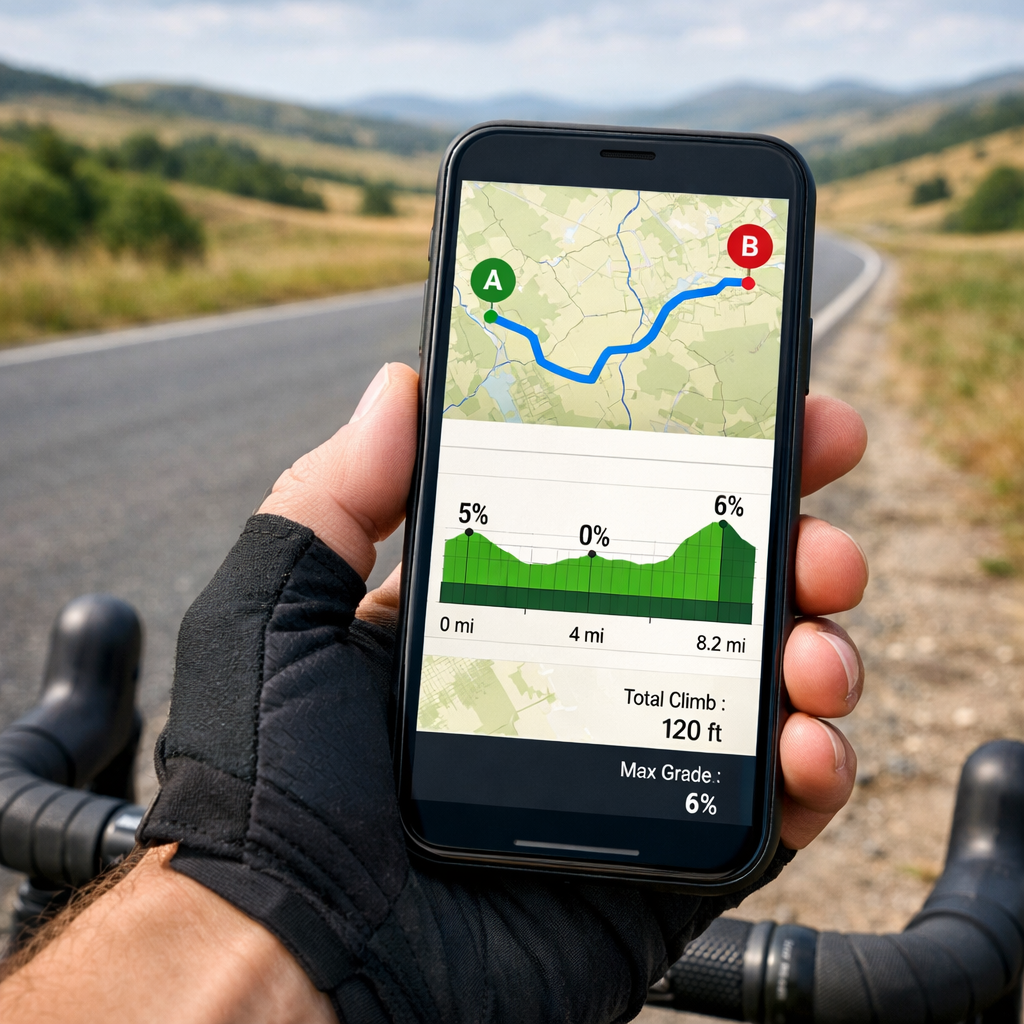
Best Apps to Avoid Hills: Compare Elevation Tools for Cyclists
Best Apps to Avoid Hills: Compare Elevation Tools for Cyclists
Planning flat bike routes is easier when your app understands terrain. The best apps to avoid hills for cycling combine accurate elevation profiles, gradient filters, and reliable offline maps so you can minimize total ascent and pick low-climb routes before you roll. In practice, that means checking each app’s elevation data (DEM/topo), whether it exposes total ascent and gradient controls, and how quickly it can reroute if you meet an unexpected wall. Below, Hiking Manual explains what to look for, compares popular options (Strava, Google Maps, Komoot, Ride with GPS, OsmAnd), and notes where AI-assisted tools fit. We also cover battery-saving tactics and safety tips for real rides in cities, suburbs, and remote terrain.
How to choose elevation-aware cycling apps
Elevation-aware routing uses map elevation data and profiles to estimate total ascent and highlight gradients so cyclists can compare alternatives and select flatter, low-climb routes. The best modern apps pair this with fast, native performance and clean UX, improving elevation rendering and on-the-fly rerouting, a trend seen among the top-rated apps in 2025. [1]
What to prioritize:
- High-resolution DEM/topo coverage for your region and clear elevation profiles.
- Adjustable ascent/gradient filters (e.g., “avoid steep gradients” or weight for low total ascent).
- Native app performance for fast redraws and reroutes. [1]
- Robust offline maps with contours to keep elevation features working when you lose signal.
A quick 5-step flow to shortlist:
- Set a climb threshold (e.g., total ascent under 300 m for your loop).
- Check if the app shows total ascent and exposes gradient/ascent controls.
- Confirm you can pre-download offline maps plus contours/DEM for your area.
- Test on a known route and sanity-check the elevation profile against reality.
- Compare battery impact on a 60–90 minute ride with identical settings.
Key criteria for hill avoidance
Use this Hiking Manual checklist to evaluate any app:
- Elevation accuracy: Needs quality DEM/topo and a clear elevation profile with total ascent and grade distribution.
- Route optimization controls: Look for “avoid steep gradients,” “prefer lower elevation gain,” or alternate flatter routes.
- Offline maps and contours: Pre-download tiles/DEM so hill avoidance works in low-signal areas with lower power draw.
- Native performance and reliability: Swift/Kotlin builds typically feel faster and recalc quicker when dodging climbs. [1]
- Privacy/cost transparency: See what data is collected and which elevation/offline features sit behind subscriptions.
Digital Elevation Model (DEM) definition (40–50 words): A digital elevation model is a grid of ground-height values derived from sources like LiDAR or stereo imagery. Routing apps sample DEM along candidate paths to estimate ascent, build elevation profiles, and color-code gradients. Higher-resolution DEMs yield more accurate climb totals and better hill-avoidance suggestions.
Fact to remember: In 2025, leading apps prioritize speed, security, AI, and seamless UX—traits that directly improve elevation rendering and alternate-route suggestions. [1]
Strava
Strava is a tracker first, with strong elevation plots, community heatmaps, and excellent wearable support—it was named Apple Watch App of the Year 2025, underscoring live feedback and watch-first workflows (CNET). [2] Use Strava’s elevation profile and live segments to monitor rising ascent mid-ride. For planning, Hiking Manual suggests pairing it with a specialist router that exposes gradient/ascent filters to pre-avoid steep climbs. Trade-off: terrific tracking and analysis; fewer hill-avoidance routing controls than purpose-built planners.
Google Maps
Google Maps is the fast, global default. In bike mode, use terrain/elevation context to eyeball hills and pick alternatives, then rely on Google’s reliable turn-by-turn, especially in cities. For hill avoidance, Hiking Manual recommends cross-checking gradients in a specialist app and exporting a flatter GPX; let Google handle last-mile navigation. Trade-off: limited fine-grain “avoid steep hills” controls; best combined with elevation-focused tools for planning.
Komoot
Komoot is a cycling-focused planner with clear elevation profiles and surface/gradient-aware routing—strong for avoiding hills. In the planner, compare alternate routes by total ascent and gradient, then pick cycling profiles that favor low-grade paths. It fits an elevation-first workflow. Download offline maps to save battery on long rides. Many features are freemium; premium tiers add broader offline coverage and advanced tools. Simple flow: plan route > set cycling profile > compare ascent between alternatives > save offline.
Ride with GPS
Ride with GPS excels as a route builder with detailed ascent metrics. Use the elevation chart to spot steep sections, then add waypoints to reroute around climbs. Explore route optimization options to reduce total ascent where available. For long rides, download maps and cue sheets to keep navigation low-power. Note the trade-off: advanced planning features often require a subscription—consider the cost versus more precise hill control.
OsmAnd
OsmAnd is a powerful offline mapping app with downloadable contours and DEM, ideal for precise elevation context and battery efficiency. Pre-download regional maps with contours, enable hillshade, inspect elevation profiles, and choose flatter alternatives before exporting GPX to your head unit or tracker. Its offline-first design conserves battery and stays responsive during spotty coverage—aligned with the performance edge of fast, native apps. [1] Trade-off: a more technical interface and lighter social/routing recommendations than cycling-specific platforms.
AI-assisted route optimizers
Many emerging tools now auto-suggest low-climb routes by analyzing DEM, surfaces, and historical speeds. In 2025, leading apps lean into AI to improve suggestions and UX, though these features may increase data usage or require subscriptions. [1] Security matters: when AI/cloud services process your location, prioritize strong protections like end-to-end encryption and biometrics—92% of users react negatively to breaches. [1]
Mini-checklist before trusting AI routes:
- Verify local DEM quality and gradient labeling for your area.
- Confirm an offline fallback that preserves elevation profiles.
- Test “lowest ascent” outputs on familiar routes and compare real-world effort.
Side-by-side comparison by hill-avoidance features
| App | Elevation profile | Gradient/ascent controls | Offline contours/DEM | Live reroute speed/performance | Wearable support | Best for |
|---|---|---|---|---|---|---|
| Strava | Strong | Limited | Maps offline only | Fast, reliable | Excellent (watch-first) | Tracking + elevation feedback |
| Google Maps | Basic context | None/limited | Limited | Very fast in cities | Solid | Quick global navigation |
| Komoot | Detailed | Yes (profiles/filters) | Yes (premium tiers) | Fast native experience | Good | Planning flatter leisure/sport rides |
| Ride with GPS | Detailed | Yes (route builder) | Yes (with sub) | Fast, flexible rerouting | Good | Power users optimizing ascent |
| OsmAnd | Detailed (offline) | Manual route shaping | Yes (contours/DEM) | Responsive offline | Basic | Remote/offline, battery-efficient use |
| AI optimizers | Varies | Automated suggestions | Varies | Varies by provider | Varies | Tech-forward hill avoidance |
Note: Native development improves speed and reliability for faster elevation rendering and reroutes—crucial when you must dodge surprise climbs mid-ride. [1]
Pricing, offline use, and privacy considerations
Freemium is common: core planning is often free, while advanced elevation routing, high-resolution contours/DEM, and unlimited offline downloads sit behind subscriptions—consistent with 2025 monetization patterns highlighted by PCMag’s look at essential apps and trends. [3]
Evaluate before you pay:
- Offline: Confirm region coverage and whether contours/DEM tiles are included.
- Pricing: Check what’s gated—advanced route editing, unlimited offline maps, high-res elevation layers.
- Privacy/security: Look for end-to-end encryption and biometrics; with 7 million malware attacks blocked in Q2 2024 as context, strong protections matter. [1]
End-to-end encryption definition (40–50 words): End-to-end encryption means your data is encrypted on your device and only decipherable by you and the intended service. Intercepted route or location data remains unreadable. Combined with biometrics, it helps protect sensitive ride history, home/work locations, and cloud-synced routes.
Performance and battery use on long rides
Native apps built with Swift/Kotlin generally feel faster and more reliable, aiding quick recalc and efficient map rendering when you diverge from plan. [1] To stretch battery while keeping elevation features:
- Pre-download offline maps/contours; disable cellular map data during the ride.
- Lower screen brightness; use dark mode where available.
- Set GPS to “device only” when safe; shut down background apps.
- Use watch glances to reduce phone wake-ups; Strava’s watch-first recognition reinforces this approach. [2]
Mid-ride reroute checklist:
- Pause recording.
- Plot the detour offline; compare ascent vs. your threshold.
- Save and resume navigation/recording.
Safety-first route planning beyond elevation
Avoiding hills is one factor. Hiking Manual also considers:
- Surface and traction: Choose paved or firm surfaces in wet/icy conditions; if you’ll dismount on snow/ice, bring traction footwear.
- Weather and wind: Steep descents in rain/ice add risk; reroute to gentler grades.
- Traffic and lighting: Favor bike paths or low-traffic, well-lit streets at dawn/dusk.
- Equipment: Pack lights, repair kit, food/water; in cold, layer a high-loft fleece under a shell and bring warm gloves.
Add waypoints for safe crossings and avoid fast arterials even if they’re “flatter.” Use offline maps in poor reception areas.
Hiking Manual recommendation
- Core setup: Plan with a specialist that exposes ascent/gradient filters (Komoot or Ride with GPS). Download offline maps plus contours/DEM for your region. Track live with a performant app like Strava for elevation feedback and strong wearable integration.
- Long/remote rides: Prioritize offline-first tools that let you cache elevation data (e.g., OsmAnd) to save battery and ensure responsive rerouting under spotty coverage—where native speed/reliability pays off. [1]
- Tech-forward riders: Trial AI-assisted optimizers for automated low-climb options, but validate on familiar terrain and review privacy settings before relying on them day-to-day. [1]
Frequently asked questions
How accurate is elevation data in cycling apps?
Accuracy varies by region and data source. Hiking Manual recommends apps that fuse GPS tracks with quality DEM/topo and a quick calibration against known climbs.
Can I force a route to avoid steep gradients?
Yes—use planners with ascent/gradient controls and compare alternatives to pick the lowest total ascent. Hiking Manual also suggests adding waypoints to skirt steep sections, then rechecking the elevation profile before exporting.
What offline map data should I download for hill avoidance?
Download your region’s base map plus contour lines or DEM tiles. Hiking Manual advises this to preserve elevation profiles when you lose signal.
How do I reduce battery drain when using elevation tools?
Pre-download maps, dim the screen, limit background apps, and rely on watch glances. Hiking Manual recommends planning detours offline before resuming navigation.
Are paid subscriptions worth it for avoiding hills?
Often, if they unlock advanced elevation routing, offline contours/DEM, and unlimited downloads. Hiking Manual suggests weighing cost against how reliably you can find and follow flatter routes.