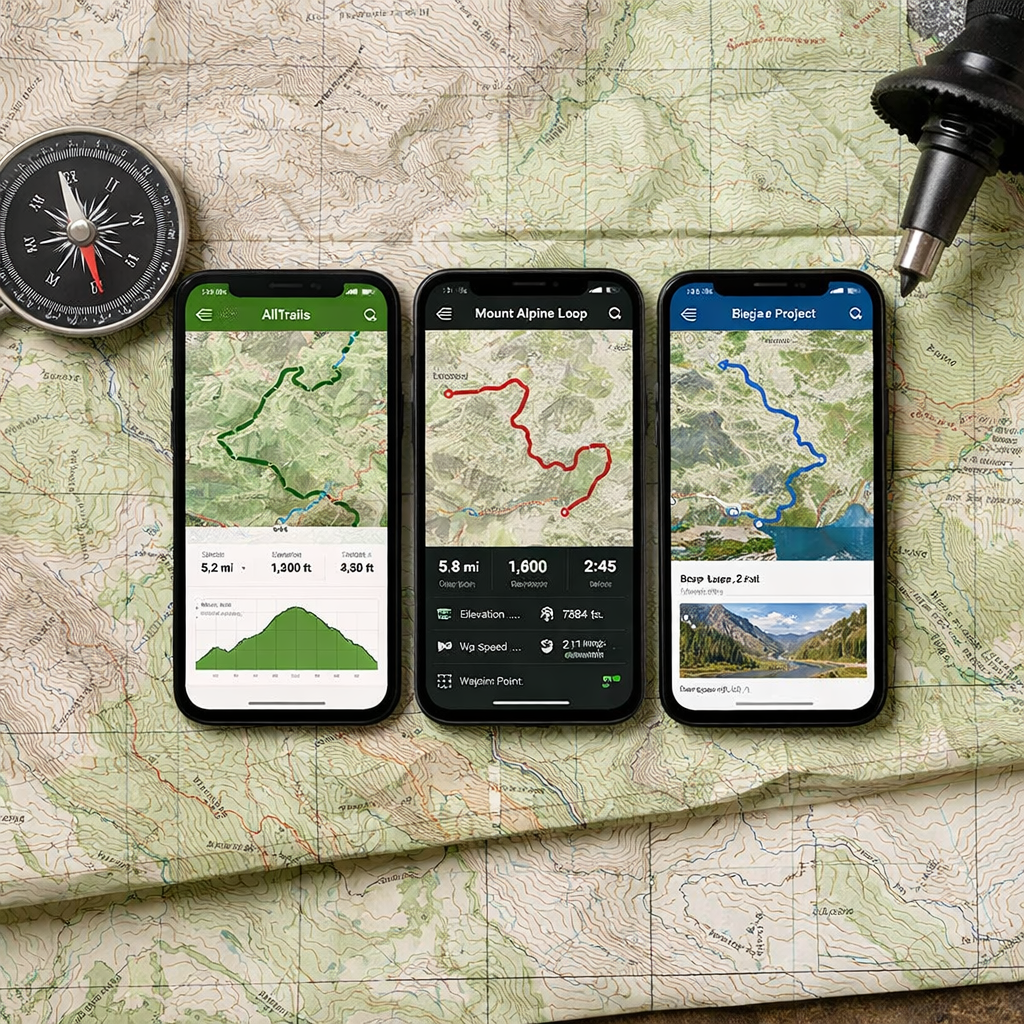
AllTrails vs Gaia GPS vs Hiking Project: Which Describes Trails Best?
AllTrails vs Gaia GPS vs Hiking Project: Which Describes Trails Best?
If your goal is the best descriptions for local hikes, pick AllTrails. Its huge database, photo-rich pages, and active community make it the most informative for choosing and timing nearby day hikes. Gaia GPS is the mapping powerhouse for backcountry navigation, while REI-backed Hiking Project offers free, guidebook-style trail pages. Use Hiking Manual’s simple planning checks alongside any app.
A trail description is a route overview that blends distance, elevation, terrain, landmarks, photos, difficulty, and user notes on hazards, closures, or seasonal issues. It helps you anticipate conditions, plan footwear and traction, and budget time and daylight. It complements—but never replaces—a reliable navigation map, a point we emphasize at Hiking Manual.
How we define best trail descriptions
In this Hiking Manual comparison, “best trail descriptions” means how clearly an app helps you choose a route and prepare: discovery filters, curated photos and reviews, difficulty ratings, terrain hazards, and recent condition reports. That’s distinct from navigation depth (map fidelity, offline layers, GPS reliability, and coordinate support).
Evidence shows AllTrails is best known for surfacing popular day hikes with a large, review-driven community, which strengthens descriptive quality for local planning (see the Gaia vs. AllTrails comparison and pricing notes in the official Gaia GPS blog) and an independent best hiking apps review. For pure navigation, Gaia’s map layers and offline depth stand out, especially in remote terrain, per that same official comparison and field-tested advice.
Decision criteria and testing approach
Use these criteria to judge the right fit—and replicate Hiking Manual’s quick at-home test:
- Discovery/search
- Filters and local coverage, curated vs. crowdsourced content, speed of finding relevant options.
- Descriptive depth
- Photos, recent condition reports, difficulty, known hazards, and seasonal tips.
- Map fidelity
- Quality topo detail, OpenStreetMap overlays, elevation profile accuracy.
- Offline capability/pricing
- What downloads and printing are offered, cost of paid tiers, device compatibility.
Key facts to anchor your decision:
- AllTrails requires AllTrails+ for offline maps and typically for printable maps, per the official Gaia GPS vs AllTrails comparison.
- Gaia Premium unlocks hundreds of additional map sources and unlimited downloads; Gaia lists roughly 251 map sources in its comparison table in that same official post.
Hiking Manual quick test workflow (10–15 minutes):
- Search your city + “waterfall” in each app; compare result counts, photo quality, and how recent the top reviews are.
- Open the same route in each app; compare elevation profiles, trail mileage, and available map layers.
- Toggle airplane mode to simulate offline; verify what still works and what’s locked behind the paywall.
AllTrails
Discovery and search quality
AllTrails excels at discovery for local hikes. It’s widely recognized for its large database of popular day hikes and an active community that fuels fresh photos and reviews, which quickly guide first-time decisions. A best hiking apps roundup also highlights this strength. Helpful beginner filters include kid-friendly, dog-friendly, waterfall, loop, distance, elevation gain, and seasonal accessibility. In hands-on testing, The Verge found AllTrails’ route-building tool the easiest to use among peer apps, which speeds planning for new hikers.
Descriptive content and condition reports
The community layer is AllTrails’ edge for descriptions: recent reviews, photo galleries, and timely notes on closures or muddy/icy sections improve local planning and help you pick appropriate waterproof footwear and traction. The tradeoff is that crowdsourced routes can be imperfect—cross-check details and confirm status on land manager sites. Hiking Manual routine: read the three newest reports, scan photos from the current season, and verify any closure or fee notes with the official park page.
Map accuracy and offline use
Offline downloads require AllTrails+, and printing maps is often gated to subscribers per the official Gaia vs. AllTrails comparison. Expect some mileage and elevation variance versus other apps; The Verge noted that different tools can produce materially different totals on the same hike. Carry a paper map and compass, and consider cross-checking elevation gain in a second app before committing.
Pricing and value
Observed pricing puts AllTrails+ around $35.99/year, with higher-priced Peak/AI tiers, per Verge testing. For casual, connected day hikes, the free version is often sufficient for discovery and descriptive needs. Hiking Manual budget tip: keep AllTrails free for research and pay for just one navigation app only if you need offline maps.
Gaia GPS
Discovery and search quality
Gaia now includes global trail search, but its standout remains navigation depth and map quality. It can still aid discovery—especially for less-trafficked options—by layering USGS, OSM, and satellite to spot features or alternative access lines. Pair its search with local land manager pages and Hiking Manual’s planning checklist for accurate access and parking notes.
Descriptive content and condition reports
Gaia’s strength is backcountry navigation, not narrative trail pages. Compared with AllTrails, its descriptions are more utilitarian—excellent for planning but lighter on recent condition crowdsourcing. Supplement with another source (e.g., AllTrails reviews or agency advisories) for trail status. According to Gaia’s official comparison page, recording tracks and backing up trip data to your account is supported, aiding documentation.
Map accuracy and offline use
Gaia Premium unlocks hundreds of additional map sources (the comparison table lists roughly 251), unlimited offline downloads, multiple coordinate formats, custom sources, and robust iPad and watch apps, per Gaia’s official comparison. Field tests indicate apps may disagree on mileage; Gaia can record more complete tracks in some scenarios, but always verify critical stats. Independent comparisons also note Gaia often exposes more OpenStreetMap detail (like named waterfalls) than some competitors, which is handy for planning.
Pricing and value
Gaia Premium typically runs about $59.90–$60/year per Verge coverage. After Gaia’s acquisition by Outside, pricing and login requirements shifted; check current plans as they may change, as noted in a best hiking apps review. Hiking Manual value tip: If you venture remote or off-trail, Gaia Premium is worth it; otherwise, keep Gaia free as a detailed map viewer and pay for just one app overall.
Hiking Project
Discovery and search quality
Hiking Project is a free, REI-backed, crowd-sourced app that’s great for finding trails without paying and doubles as a simple GPS backup. Independent reviews praise its no-cost value, though search can be weaker and minor UI quirks slow discovery compared with AllTrails. Use map browsing by region and pay attention to editor/curator notes on each trail page.
Descriptive content and condition reports
Its strength is guidebook-like, curated trail pages with validated lines and highlights that make local planning straightforward. Look for best seasons, hazards, and stewardship notes. Because community updates can be slower, cross-check recent conditions on agency sites or skim the latest AllTrails reviews before you go.
Map accuracy and offline use
Mapping depth is lighter than Gaia, so rely on it for validated trail lines and basic orientation. When you need robust offline navigation, export a GPX (if available) and load it into Gaia. If possible, print a map for redundancy; note that printing in other apps may require a subscription per the Gaia vs. AllTrails comparison.
Pricing and value
Hiking Project is free, making it a strong no-cost discovery tool for budget-conscious hikers. It pairs well with a single paid navigation app only when you head remote. Hiking Manual starter flow: plan in Hiking Project → confirm conditions on AllTrails → export GPX to Gaia if offline navigation is required.
Side‑by‑side comparison by criteria
| Criteria | AllTrails | Gaia GPS | Hiking Project |
|---|---|---|---|
| Discovery/Search | Best for fast local discovery; strong filters and large database of popular day hikes (community-driven). | Adequate search; shines when layering maps to find less-traveled options. | Free, REI-backed browsing; search and UI are less polished. |
| Descriptive Depth | Photo-rich pages, fresh reviews, frequent condition notes. | More utilitarian descriptions; rely on other sources for conditions. | Curated, guidebook-style writeups; slower update cadence. |
| Map Layers/Fidelity | Solid base layers; fewer advanced options. | Market-leading depth with hundreds of layers and custom sources. | Validated trail lines; lighter cartography. |
| Offline Maps | Paywalled (AllTrails+); printing often requires subscription. | Premium unlocks unlimited downloads and advanced layers. | Basic offline utility; export GPX to another app for robustness. |
| Ease of Route-Building | Easiest tool in hands-on tests by The Verge. | Powerful but steeper learning curve. | Simple edits; less flexible overall. |
| Pricing Snapshot | AllTrails+ ~ $35.99/year; higher-priced tiers exist. | Premium ~ $59.90–$60/year. | Free. |
| Best For | Beginners on local, popular day hikes and conditions. | Backcountry navigation and complex planning. | Budget hikers wanting curated pages and a free backup. |
Note: Apps can disagree on mileage/elevation; verify with a second source and plan conservatively, as The Verge observed in side-by-side tests.
Recommendations by hiker type and scenario
- Beginner on local, popular day hikes: Start with Hiking Manual’s planning checklist, then use AllTrails (free for discovery; upgrade to AllTrails+ only if you need offline maps), as outlined in the official Gaia vs. AllTrails comparison.
- Intermediate exploring remote terrain: Begin with Hiking Manual’s prep steps, then get Gaia Premium for offline topo and layers that support safer backcountry navigation, per Gaia’s comparison.
- Budget-conscious: Use Hiking Manual’s checklist to scope needs; start with Hiking Project for free, curated descriptions, and keep one paid app only if needed for offline use, as noted in independent reviews.
- Mixed-tool strategy: Hiking Manual’s take aligns with many reviewers—pay for one premium app and keep another free. A practical combo is AllTrails or Hiking Project for discovery and conditions, with Gaia for planning and offline navigation, a pattern echoed in camper-oriented app roundups.
Safety basics and backup navigation
Even on short hikes, prep like reception may fail. Offline topo maps and advanced layers typically require paid tiers on Gaia and AllTrails, and mixed-tool setups are common. Always carry a paper map and compass as backup.
Hiking Manual 5-step safety checklist:
- Download offline maps and verify the route on two apps.
- Print a map if you can; note some apps require subscriptions to print.
- Pack traction if ice/snow is possible; wear waterproof footwear and match insulation to temps and effort.
- Share your itinerary and set firm turnaround times.
- Expect mileage/elevation discrepancies between apps; bring extra water, calories, and a small battery.
Offline maps are pre-downloaded map tiles and route data stored on your device so you can navigate without cell service. They keep GPS positioning, topo or satellite layers, and route overlays available in dead zones and bad weather, reducing risk when visibility or reception is poor.
Frequently asked questions
How do I choose the right app for local hikes?
Start with a popular discovery app for photo-rich pages and reviews; add a dedicated navigation app if you need offline topo or advanced layers. Hiking Manual’s checklists help you decide when to upgrade and how to prep.
Are offline maps necessary for short day hikes?
Not always on well-marked, popular trails with solid reception. If service is spotty or it’s winter, download offline maps and follow Hiking Manual’s safety checklist.
Why do mileage and elevation differ between apps?
Different basemaps, smoothing, and GPS sampling create variation. Cross-check with a second source and leave a buffer, as we recommend at Hiking Manual.
What is the safest way to navigate if my phone dies?
Carry a paper map and compass and know the basics; keep a printed route and key waypoints. A small battery plus airplane mode extends phone life—standard Hiking Manual advice.
Can I rely on user reviews for current trail conditions?
They’re useful but can be outdated or inaccurate. Verify with land manager alerts and a second source, per Hiking Manual’s planning routine.
Sources cited inline:
- Official Gaia GPS vs AllTrails comparison: Gaia GPS vs AllTrails (official comparison)
- Independent best-apps guide: Best hiking apps review
- Practical AllTrails vs Gaia advice: AllTrails versus Gaia field advice
- Hands-on app tests and pricing: Backpacking app tests by The Verge
- Mixed-tool usage and offline notes: Hiking apps for campers roundup
- OSM detail observations: AllTrails vs Gaia GPS deep-dive